Discord DM Phishing Technique Analysis
Background
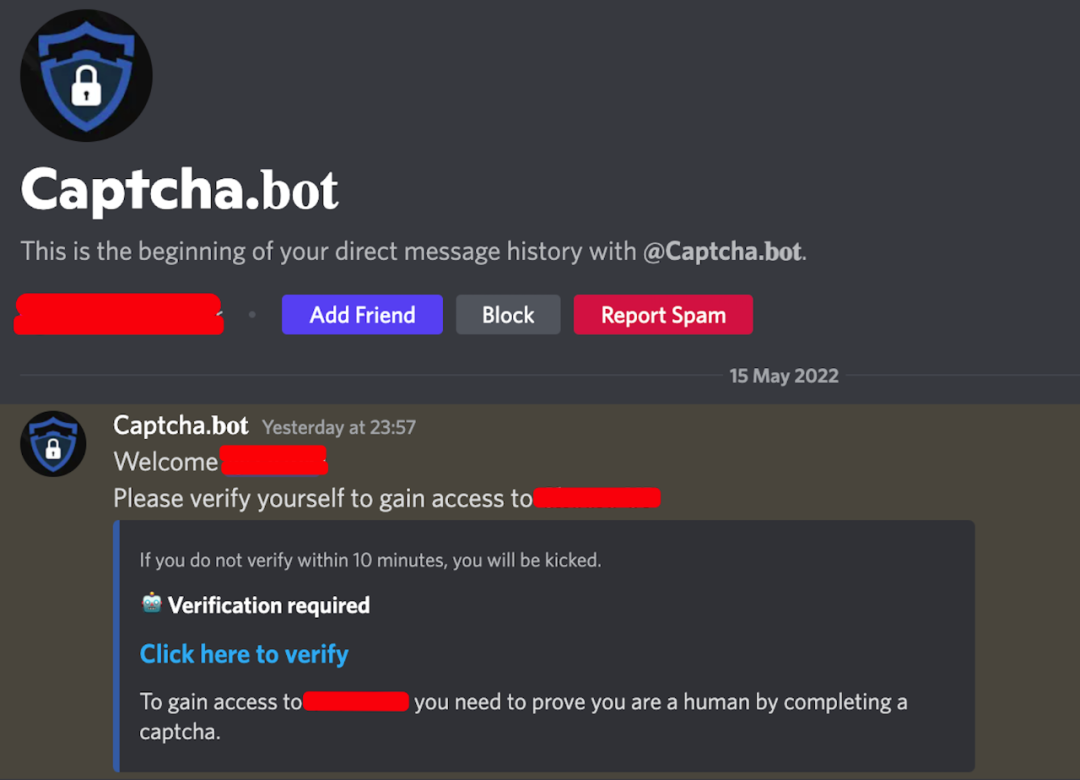
In the early hours of May 16, while I was searching for family, I joined an official Discord server via the invitation link from the project’s website. The moment I entered, a “bot” (Captcha.bot) sent me a DM asking me to complete a CAPTCHA verification. Everything looked perfectly normal, so I clicked the verification link to check it out.
Phishing Technique Breakdown
After visiting the link sent by the “bot” (Captcha.bot), it did present me with a CAPTCHA verification. However, once I passed the verification, it prompted me to open my MetaMask wallet. The wallet window that popped up looked fairly convincing, as shown below — but I noticed the address bar displayed about:blank, which immediately raised a red flag.
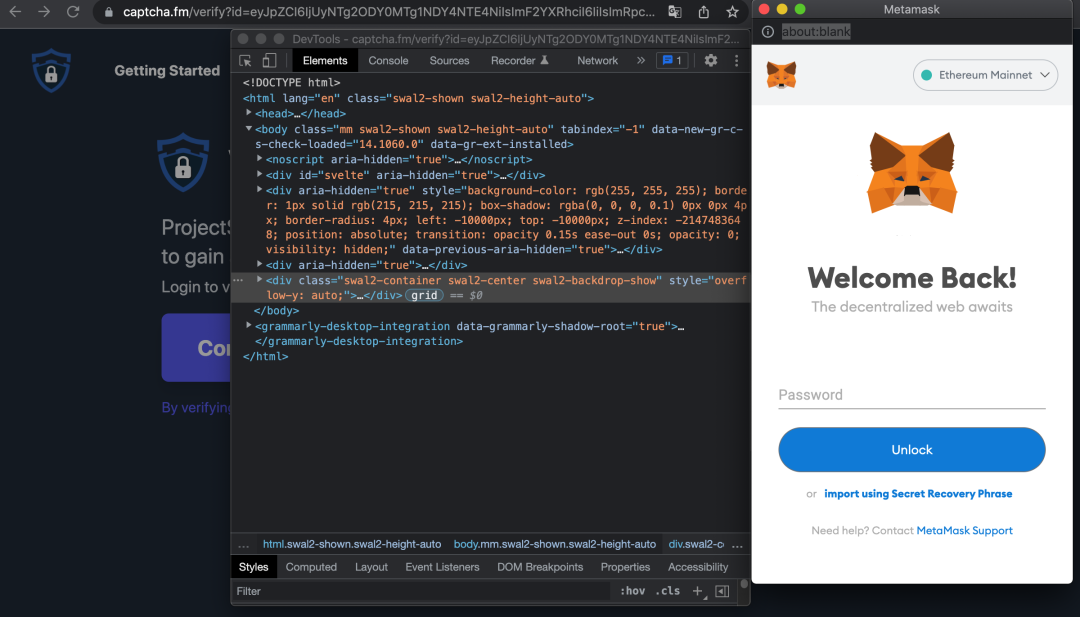
I entered a random password and used the browser’s developer tools to confirm that the MetaMask interface was served from the fraudulent site https://captcha.fm/ — not a genuine wallet extension. So I started debugging.
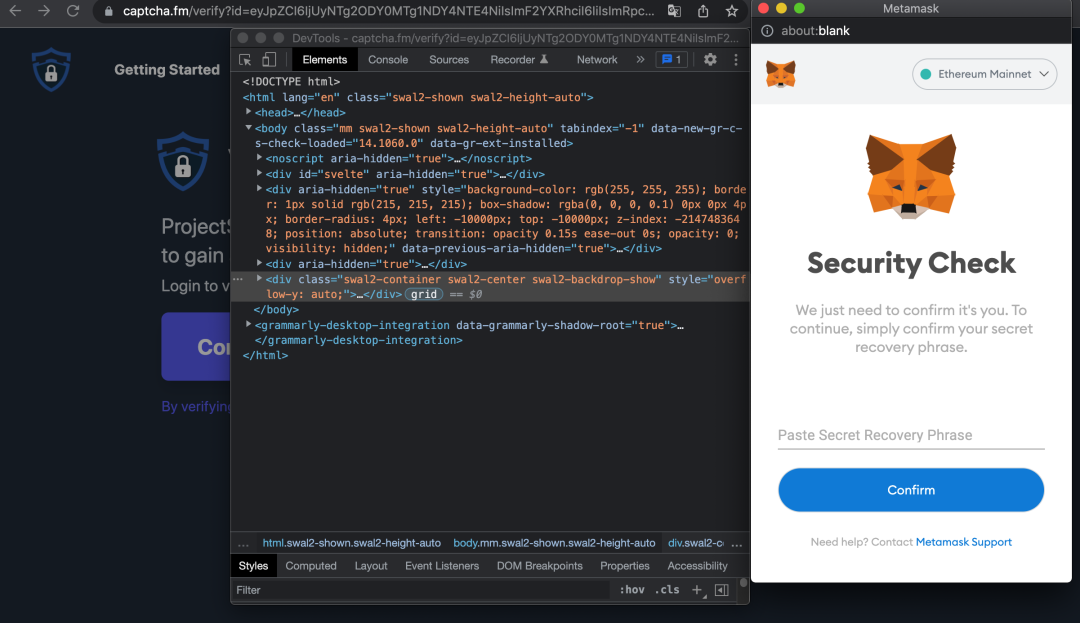
After entering any password, the fake wallet immediately moved to a “Security Check” screen demanding my seed phrase for verification. Note: the password and seed phrase you enter are encrypted and sent to the attacker’s server.
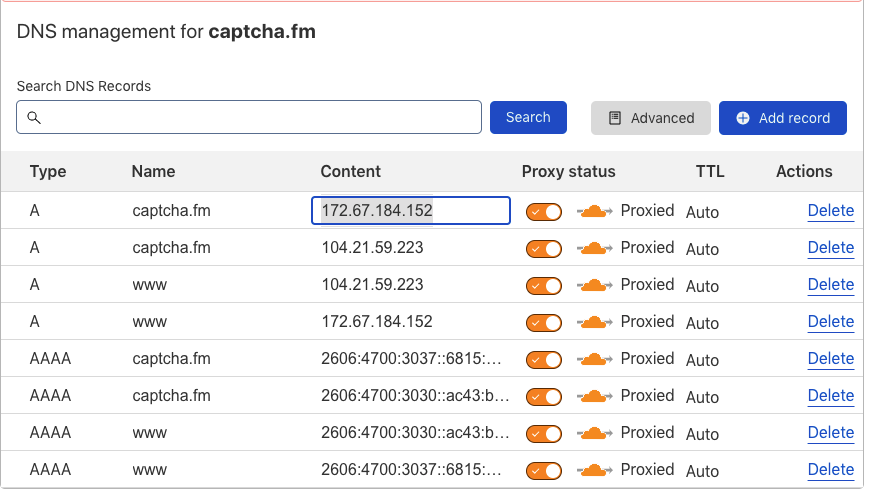
A quick look at the domain: captcha.fm resolved to 172.67.184.152 and 104.21.59.223, both behind Cloudflare. All I could do was report it and move on.
Malicious Account Analysis
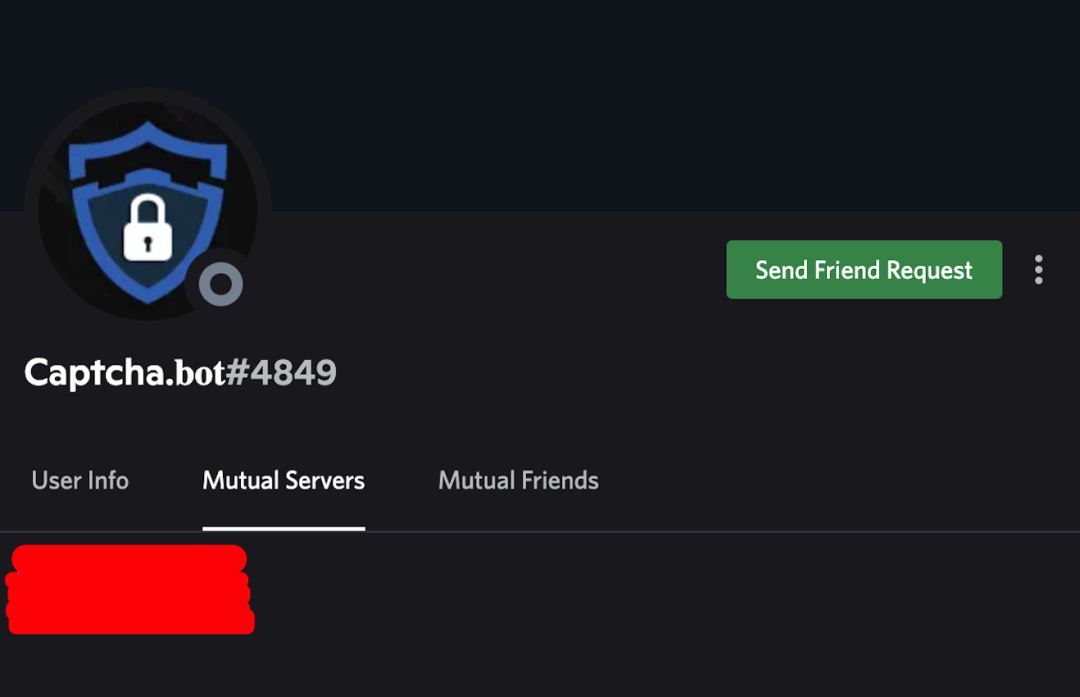
After downloading and saving the source code of the phishing site, I shared the intelligence with the project team and began investigating the Discord accounts behind the attack. Since I had just joined the server, the DM with the verification link came from the account shown below. Analysis confirmed it was just a regular Discord account disguised as the Captcha.bot. As soon as I joined the official server, this fake Captcha.bot immediately DMed me the phishing link — it appeared to be fully automated: detect new members, construct the phishing URL, and send the DM, all in near real-time.
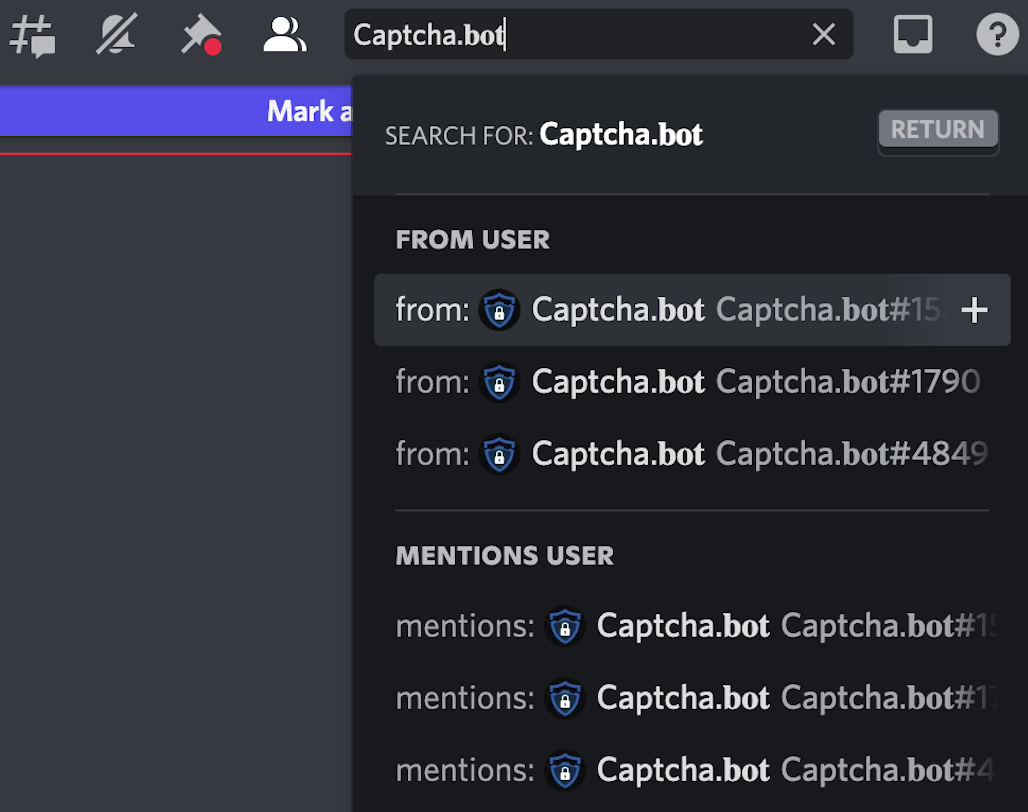
I searched for “Captcha.bot” in the relevant channels and found several impersonators. I forwarded all of them to the project team. They responded swiftly — it was already past midnight at this point — and removed all the fake Captcha.bot accounts, then discussed possible preventive measures with us.
A Second Phishing Wave
But it didn’t end there. The next morning, another SlowMist teammate (thanks to @Victory for the intel) joined the same Discord server and immediately received another DM from a malicious account — containing yet another phishing link. This time, however, the attacker was directly impersonating an official team account.
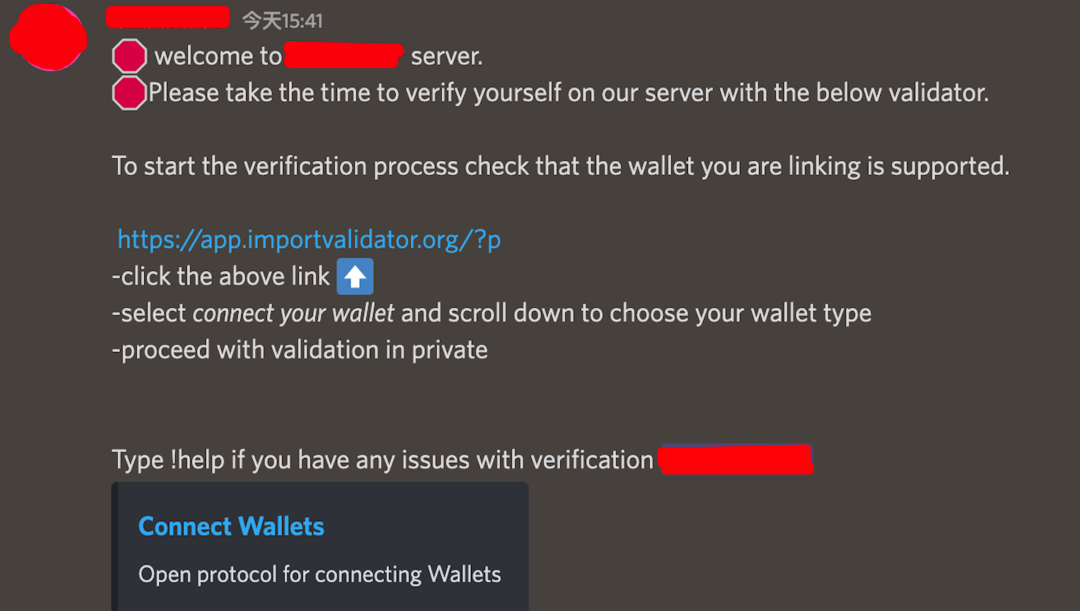
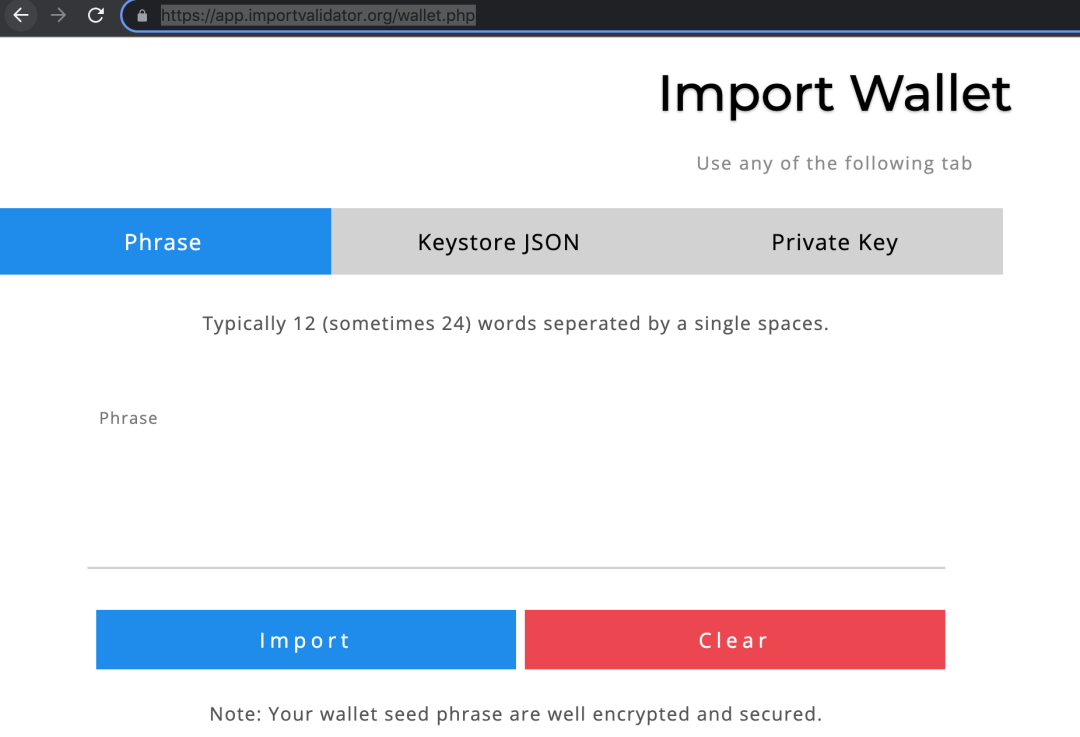
This attacker’s narrative was “import your seed phrase at this link for identity verification.” They didn’t bother with a fake MetaMask interface — just a plain web form asking for the seed phrase directly. Frankly, this was a lot less convincing (the technique was crude).
The phishing domain and IP: app.importvalidator.org / 47.250.129.219, hosted on Alibaba Cloud. Another report, same story.
Defense Strategies
Phishing tactics are endless. Users need to learn how to spot them on their own; projects need to double down on user security education.
The first thing you should do after joining any Discord server is disable “Allow direct messages from server members” in your privacy settings. Beyond that, learn to recognize fake MetaMask attacks: as described above, check for the address bar — legitimate extension pop-ups don’t have one. When a website asks MetaMask to sign something, read the signature request carefully; if you can’t tell whether it’s malicious, just reject it. No matter when or where, never import your private key or seed phrase on a website. Use a hardware wallet whenever possible — hardware wallets generally don’t support direct seed phrase or private key export, which significantly raises the bar for theft.
Project teams should also keep a close eye on community feedback, remove malicious accounts from their Discord servers promptly, and proactively push anti-phishing education to new members as soon as they join.
Closing Thoughts
At its core, Discord phishing is social engineering. Attackers exploit the brief window of vulnerability when new members have just joined a community and aren’t yet familiar with the server’s rules — striking before the user has time to develop any security awareness. This is a classic “trust gap” attack: the implicit trust in official communities gets projected onto impersonators, and the user’s familiarity with official verification workflows gets weaponized against them.
Why do these attacks keep working? Because Web3 security is full of friction points between compliance workflows and user experience. CAPTCHA verification is supposed to protect users, but when attackers package themselves as the verification mechanism itself, this “standardized process” becomes the perfect phishing vehicle. Defending against this requires more than just project-side cleanup — the user’s own “zero trust” mindset is the last line of defense.
Reference Links: